Jump to content
View in the app

A better way to browse. Learn more.

Invision Marketplace

A full-screen app on your home screen with push notifications, badges and more.

To install this app on iOS and iPadOS
  1. Tap the Share icon in Safari
  2. Scroll the menu and tap Add to Home Screen.
  3. Tap Add in the top-right corner.
To install this app on Android
  1. Tap the 3-dot menu (⋮) in the top-right corner of the browser.
  2. Tap Add to Home screen or Install app.
  3. Confirm by tapping Install.

Everything you need for your community

Everything you need for your community

 Loading...
 Loading...
 Loading...
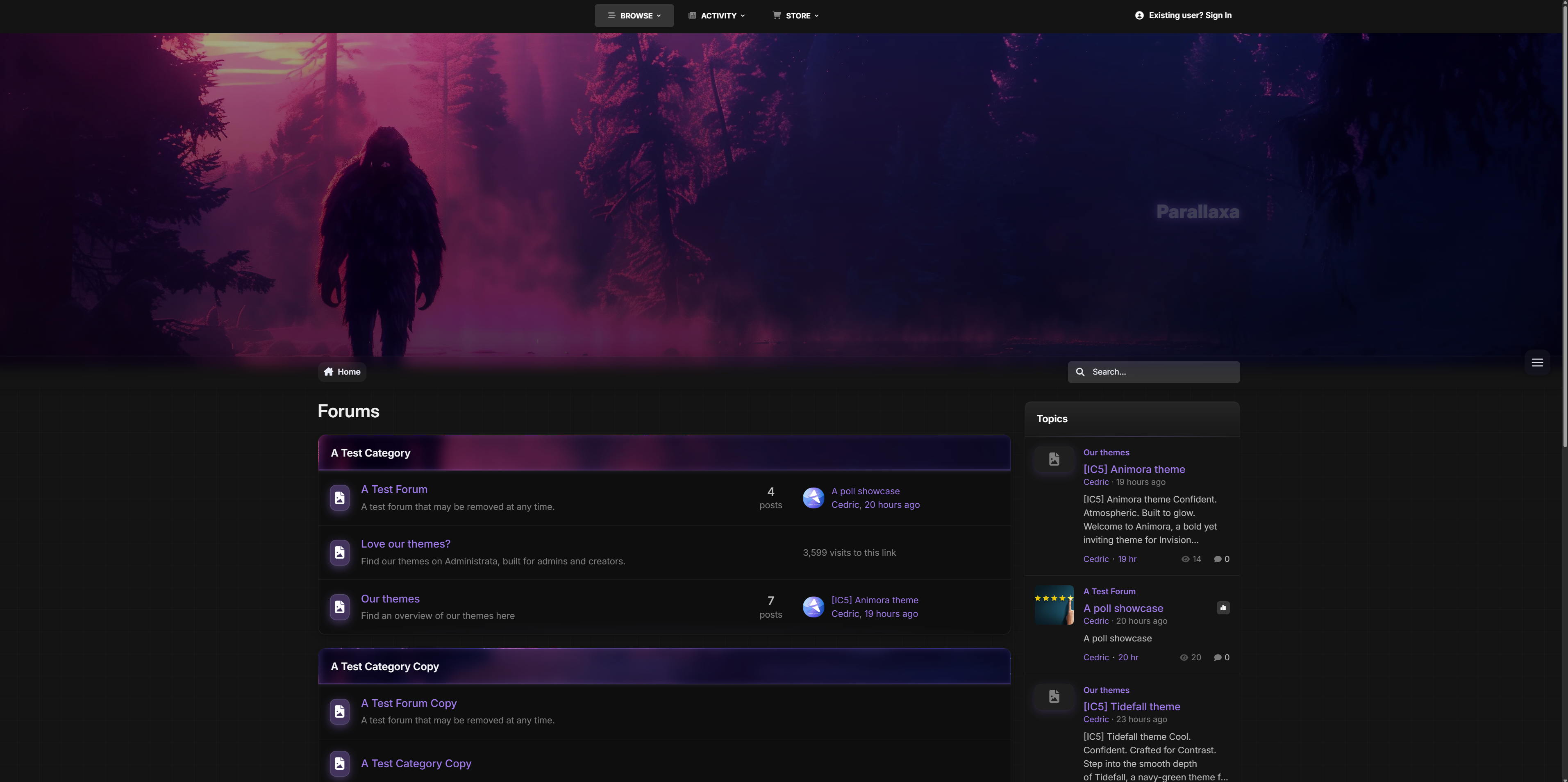
Striking. Immersive. Built for motion.
Step into Parallaxa, a game-inspired Invision Community v5 theme designed for depth, energy, and customization. With a responsive parallax header, animated accents, glass surfaces, and dynamic color presets, Parallaxa sets the stage for communities that want more than just a basic skin — they want a vibe.
Whether you run a gaming forum, creative project hub, or a content-heavy platform, Parallaxa delivers immersive style with functional clarity.
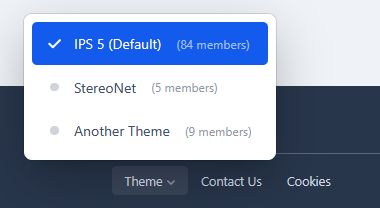
Demo: Select Parallaxa from the theme switcher.

✔️ Live Parallax Header
A responsive hero header with optional background selector, layered gradients, and gentle movement to add dimension and presence.
✔️ Dynamic Background Selector
Let your users switch between multiple thematic backgrounds with a seamless, mobile-friendly overlay — complete with animated previews and dark blur effect.
✔️ Accent Color Presets
Switch between vibrant preset colors like blue, red, lime, purple, and more. All UI elements update instantly — from icons to buttons to glow effects.
✔️ Glass UI with Depth
Menus, widgets, and content areas feature soft blurs and transparent panels, evoking that frosted-glass feel while keeping everything readable and responsive.
✔️ Shiny Buttons & Animated Glow
Buttons are styled with a layered gloss and animated sheen. Hover states glow, but never feel jarring. Perfect for modern, sleek navigation.
✔️ Adaptive Widgets & Headers
Box headers match your current background with darkened blur overlays and subtle glowing trims for contrast. Widget headers are styled to blend into the theme softly.
✔️ Built-in Game-Style Elements
From neon-glow badges to pill-style icons and soft-animated dropdowns, Parallaxa brings subtle game UI cues without overwhelming your content.

Ideal for modern forums, gaming clans, project showcases, and creative platforms that want to combine visual punch with polished design.

Need help adding your own backgrounds or expanding the presets? Just ask - Parallaxa was built for flexibility.
IPS5.0.0+
Striking. Immersive. Built for motion.
Step into Parallaxa, a game-inspired Invision Community v5 theme designed for depth, energy, and customization. With a responsive parallax header, animated accents, glass surfaces, and dynamic color presets, Parallaxa sets the stage for communities that want more than just a basic skin — they want a vibe.
Whether you run a gaming forum, creative project hub, or a content-heavy platform, Parallaxa delivers immersive style with functional clarity.
Demo: Select Parallaxa from the theme switcher.

✔️ Live Parallax Header
A responsive hero header with optional background selector, layered gradients, and gentle movement to add dimension and presence.
✔️ Dynamic Background Selector
Let your users switch between multiple thematic backgrounds with a seamless, mobile-friendly overlay — complete with animated previews and dark blur effect.
✔️ Accent Color Presets
Switch between vibrant preset colors like blue, red, lime, purple, and more. All UI elements update instantly — from icons to buttons to glow effects.
✔️ Glass UI with Depth
Menus, widgets, and content areas feature soft blurs and transparent panels, evoking that frosted-glass feel while keeping everything readable and responsive.
✔️ Shiny Buttons & Animated Glow
Buttons are styled with a layered gloss and animated sheen. Hover states glow, but never feel jarring. Perfect for modern, sleek navigation.
✔️ Adaptive Widgets & Headers
Box headers match your current background with darkened blur overlays and subtle glowing trims for contrast. Widget headers are styled to blend into the theme softly.
✔️ Built-in Game-Style Elements
From neon-glow badges to pill-style icons and soft-animated dropdowns, Parallaxa brings subtle game UI cues without overwhelming your content.

Ideal for modern forums, gaming clans, project showcases, and creative platforms that want to combine visual punch with polished design.

Need help adding your own backgrounds or expanding the presets? Just ask - Parallaxa was built for flexibility.
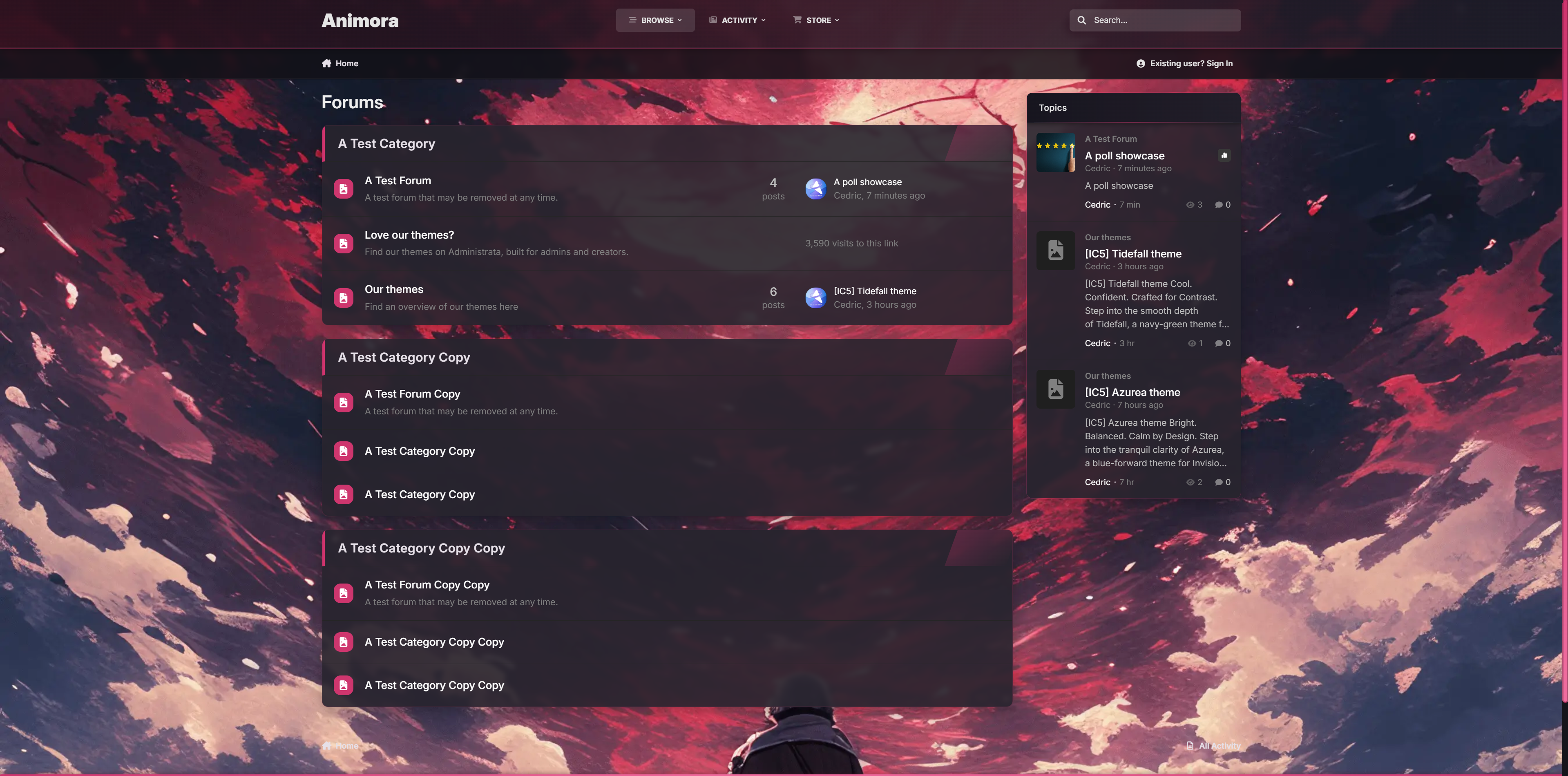
Confident. Atmospheric. Built to glow.
Welcome to Animora, a bold yet inviting theme for Invision Community v5 inspired by the ambiance of animated landscapes. With smooth blurs, glowing accents, and a selectable background system, Animora gives your forum a sense of motion and personality without sacrificing readability or performance.
Perfect when you're building a cozy creative space, an anime community, or just want something that feels alive, Animora blends beauty with usability in all the right ways.

Demo: Select Animora from the theme switcher.

✔️ Background Selector System
Let your members personalize their view. Choose from 4 animated-style background scenes.
✔️ Floating Glass Interface
Light blurs, glowing buttons, and modern transparency give everything a soft, premium touch.
✔️ Warm Highlighting & Accent Glow
From buttons to borders, subtle pink gradients add a radiant glow that lifts the design without overpowering it.
✔️ Fully Responsive Picker UI
The background selector opens in a modal-style overlay, works on all devices, and adapts with custom scrollbars and animated highlights.
✔️ Pink Line Borders & Pill Headers
Widgets and boxes feature frosted edges with glowing trims for structure and contrast.
✔️ Optional Background Sync
Users can preview backgrounds instantly.

Ideal for communities that love expressive visuals but want to stay sleek and usable.

If you would like to have different backgrounds, feel free to ask for a how-to.
IPS5.0.0+
Confident. Atmospheric. Built to glow.
Welcome to Animora, a bold yet inviting theme for Invision Community v5 inspired by the ambiance of animated landscapes. With smooth blurs, glowing accents, and a selectable background system, Animora gives your forum a sense of motion and personality without sacrificing readability or performance.
Perfect when you're building a cozy creative space, an anime community, or just want something that feels alive, Animora blends beauty with usability in all the right ways.

Demo: Select Animora from the theme switcher.

✔️ Background Selector System
Let your members personalize their view. Choose from 4 animated-style background scenes.
✔️ Floating Glass Interface
Light blurs, glowing buttons, and modern transparency give everything a soft, premium touch.
✔️ Warm Highlighting & Accent Glow
From buttons to borders, subtle pink gradients add a radiant glow that lifts the design without overpowering it.
✔️ Fully Responsive Picker UI
The background selector opens in a modal-style overlay, works on all devices, and adapts with custom scrollbars and animated highlights.
✔️ Pink Line Borders & Pill Headers
Widgets and boxes feature frosted edges with glowing trims for structure and contrast.
✔️ Optional Background Sync
Users can preview backgrounds instantly.

Ideal for communities that love expressive visuals but want to stay sleek and usable.

If you would like to have different backgrounds, feel free to ask for a how-to.
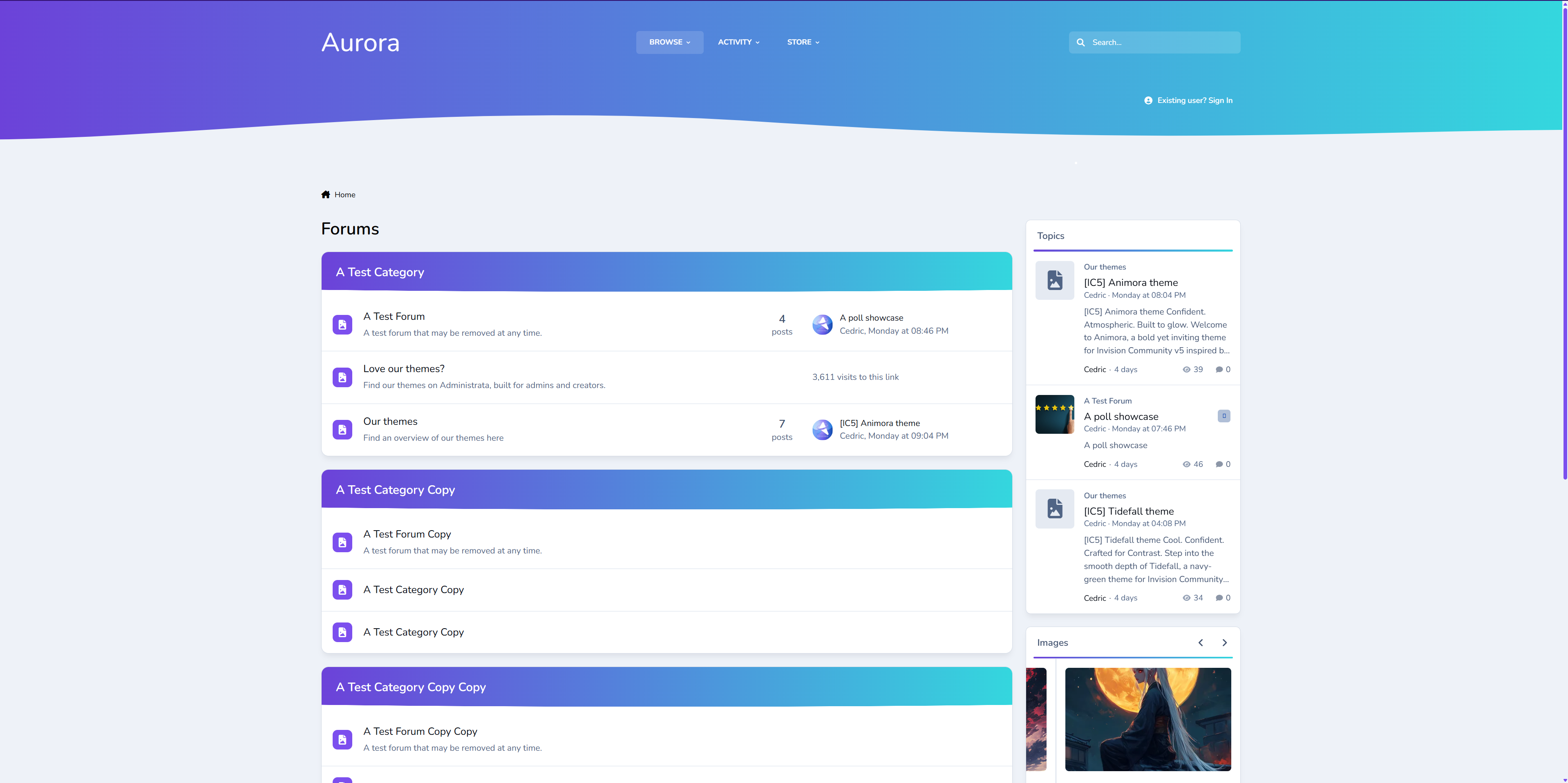
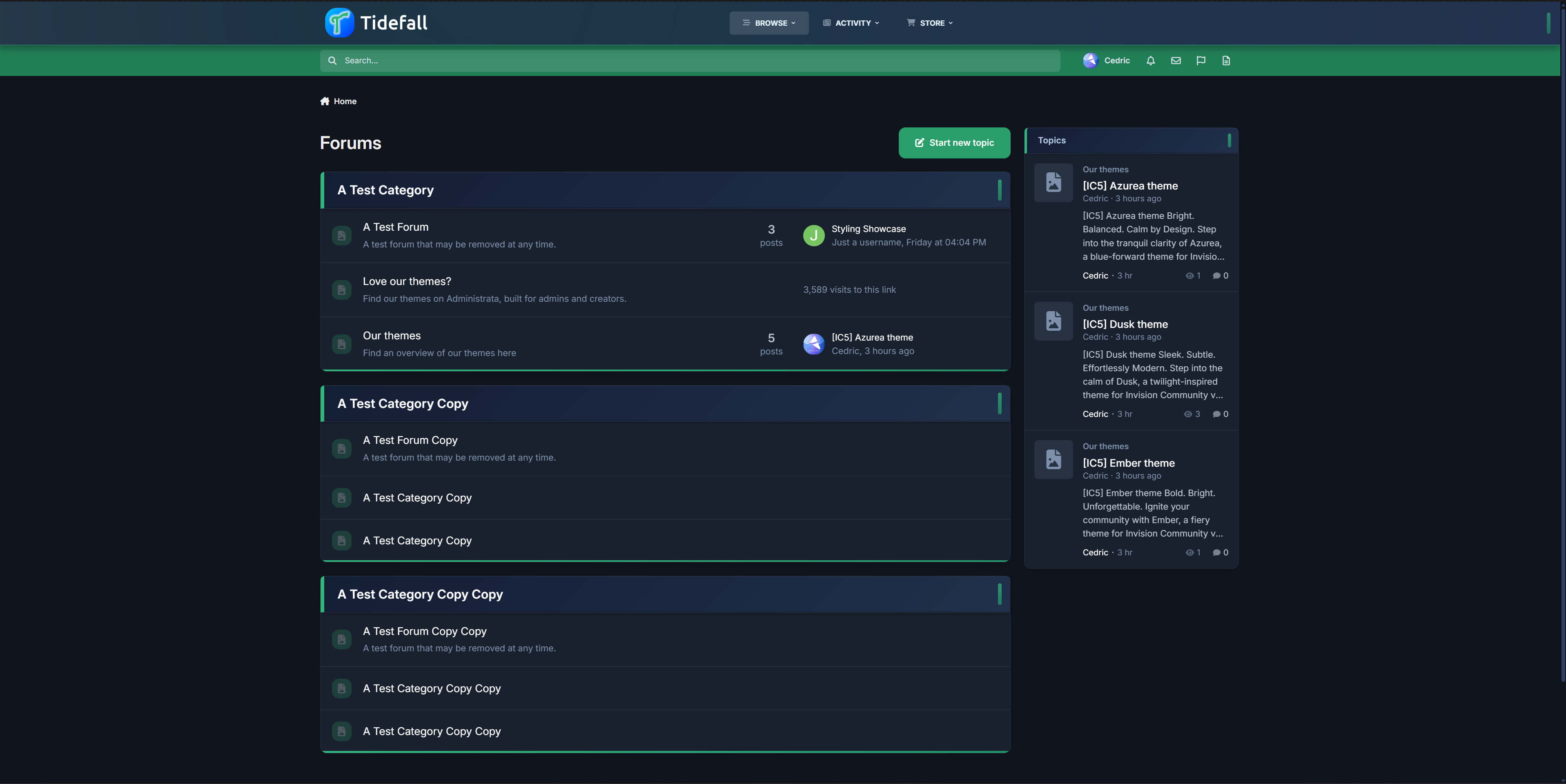
Cool. Confident. Crafted for Contrast.
Step into the smooth depth of Tidefall, a navy-green theme for Invision Community v5 that balances vibrant clarity with grounded style. With a shifting header, soft blurs, and crisp lines, Tidefall brings a modern edge to any forum—quietly bold, intentionally clean.
Demo – Select Tidefall
✔️ Deep Navy & Emerald Palette – Designed for contrast and readability, with rich blues and a refined, confident green.
✔️ Modern Box Styling – Frosted headers, soft shadows, and vertical accent pills give your categories just the right touch of presence.
✔️ Animated Header Gradient – The primary header smoothly shifts tones, adding movement without noise.
✔️ Subtle Gradient Highlights – Forum bars and buttons use delicate fades to keep the interface lively and engaging.
✔️ Refined UI Elements – Custom scrollbars, clean navigation, and minimalist icons tie the whole theme together.
✔️ Light & Dark Included – Every detail adjusted for both modes, with consistent branding and polish.

Ideal for communities that want a sharp, distinctive style without being overbearing.
IPS5.0.0+
Cool. Confident. Crafted for Contrast.
Step into the smooth depth of Tidefall, a navy-green theme for Invision Community v5 that balances vibrant clarity with grounded style. With a shifting header, soft blurs, and crisp lines, Tidefall brings a modern edge to any forum—quietly bold, intentionally clean.
Demo – Select Tidefall
✔️ Deep Navy & Emerald Palette – Designed for contrast and readability, with rich blues and a refined, confident green.
✔️ Modern Box Styling – Frosted headers, soft shadows, and vertical accent pills give your categories just the right touch of presence.
✔️ Animated Header Gradient – The primary header smoothly shifts tones, adding movement without noise.
✔️ Subtle Gradient Highlights – Forum bars and buttons use delicate fades to keep the interface lively and engaging.
✔️ Refined UI Elements – Custom scrollbars, clean navigation, and minimalist icons tie the whole theme together.
✔️ Light & Dark Included – Every detail adjusted for both modes, with consistent branding and polish.

Ideal for communities that want a sharp, distinctive style without being overbearing.
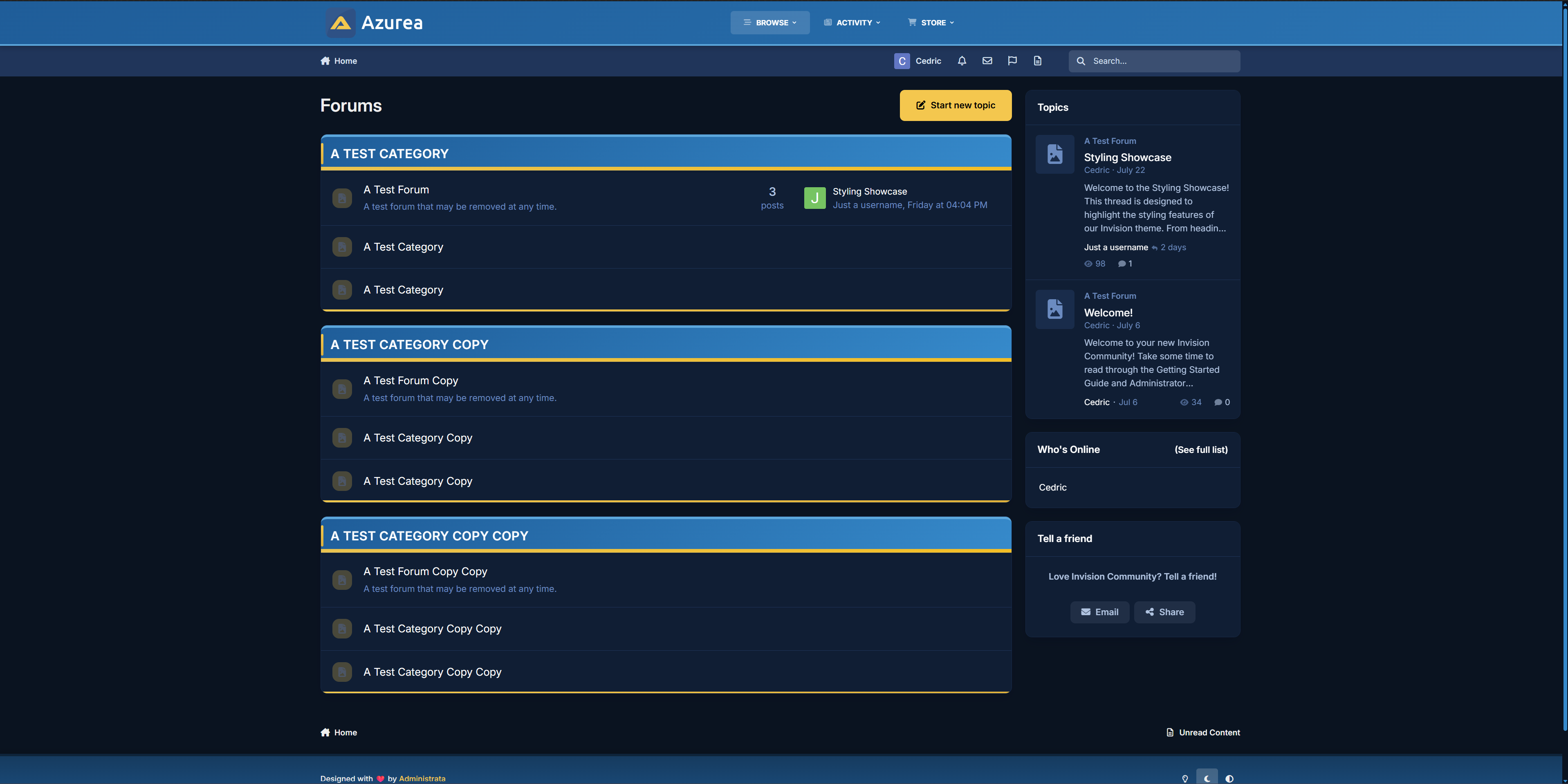
Bright. Balanced. Calm by Design.
Step into the tranquil clarity of Azurea, a blue-forward theme for Invision Community v5 that blends soft gradients with subtle detail. Azurea is for communities that want to feel uplifting without being flashy — clean, calm, and carefully styled to get out of your way and let the content shine.
Demo – Select Azurea
✔️Cool Blue Palette – A spectrum of glacial and ocean blues, designed for calm readability with a fresh edge.
✔️ Subtle Gradient Elements – Category headers, progress bars, and nav panels fade naturally across tones for soft depth.
✔️ Fine Accent Lines – Highlights and trims in light blue or yellow add energy without breaking serenity.
✔️ Minimal Visual Noise – Rounded boxes, smooth hover effects, and intuitive navigation let your forum breathe.
✔️ Custom Scrollbars & Icons – Every UI detail—from scrollbars to buttons—feels like part of the same system.
✔️ Fully Responsive – Whether you're on desktop, tablet, or mobile, Azurea adapts beautifully.

Ideal for forums that want a lightweight, professional aesthetic without sacrificing warmth.
IPS5.0.0+
Bright. Balanced. Calm by Design.
Step into the tranquil clarity of Azurea, a blue-forward theme for Invision Community v5 that blends soft gradients with subtle detail. Azurea is for communities that want to feel uplifting without being flashy — clean, calm, and carefully styled to get out of your way and let the content shine.
Demo – Select Azurea
✔️Cool Blue Palette – A spectrum of glacial and ocean blues, designed for calm readability with a fresh edge.
✔️ Subtle Gradient Elements – Category headers, progress bars, and nav panels fade naturally across tones for soft depth.
✔️ Fine Accent Lines – Highlights and trims in light blue or yellow add energy without breaking serenity.
✔️ Minimal Visual Noise – Rounded boxes, smooth hover effects, and intuitive navigation let your forum breathe.
✔️ Custom Scrollbars & Icons – Every UI detail—from scrollbars to buttons—feels like part of the same system.
✔️ Fully Responsive – Whether you're on desktop, tablet, or mobile, Azurea adapts beautifully.

Ideal for forums that want a lightweight, professional aesthetic without sacrificing warmth.

Top Developers

Last reviews

Applications Directory

A complete and convenient directory of applications for Invision Community, with categorization and sorting options.

Ratings and feedback

Only verified and trusted reviews!

Add new Application

Any developer can add their application to this directory.

You need to create account

Configure browser push notifications

Chrome (Android)
  1. Tap the lock icon next to the address bar.
  2. Tap Permissions → Notifications.
  3. Adjust your preference.
Chrome (Desktop)
  1. Click the padlock icon in the address bar.
  2. Select Site settings.
  3. Find Notifications and adjust your preference.