Jump to content
View in the app

A better way to browse. Learn more.

Invision Marketplace

A full-screen app on your home screen with push notifications, badges and more.

To install this app on iOS and iPadOS
  1. Tap the Share icon in Safari
  2. Scroll the menu and tap Add to Home Screen.
  3. Tap Add in the top-right corner.
To install this app on Android
  1. Tap the 3-dot menu (⋮) in the top-right corner of the browser.
  2. Tap Add to Home screen or Install app.
  3. Confirm by tapping Install.

Everything you need for your community

We will be moving to a new server soon, some downtime is expected.

Everything you need for your community

 Loading...
 Loading...
 Loading...
This app will add a poking system giving your members the ability to poke each other. Members with the appropriate permissions can poke other members from either their profiles or hoover card. Once a member pokes someone, they can't poke the same member twice, unless that member pokes them back. Then they can poke them again. 
Individual Group Permissions.
Can poke members. 
Poke Same Members Only Once.
Daily Poke Limit.
View All Pokes.
Unpockable.
Notification System Integration:
Whenever a members gets poked, they will receive an alert. Members can disable the poke alert at their Notification Settings.
Profile Pokes Tab:
A new tab has been added on members profiles containing all the pokes that they have received. Members can view their own pokes. Whereas all members pokes are viewable only to members with the appropriate permissions. 
Postbit Poke Count:
A settings to show members poke count on their postbit is available. 
Recent Activity Integration:
Whenever a members pokes someone, it will will be displayed on their Recent Activity block on their profile in the Admin Panel.
Task System Integration:
A task has been added for pruning of old poke stats.
Admin Logs:
An overview of all members pokes is available in the admin panel as well as an advanced search form. Admins can search for who was poked and by whom and they can also select a time frame for the results.
Moderator Log Integration:
Anytime that an admin will delete a poke, the action will be logged in the Moderator Logs.
IPS5.0.0
This app will add a poking system giving your members the ability to poke each other. Members with the appropriate permissions can poke other members from either their profiles or hoover card. Once a member pokes someone, they can't poke the same member twice, unless that member pokes them back. Then they can poke them again. 
Individual Group Permissions.
Can poke members. 
Poke Same Members Only Once.
Daily Poke Limit.
View All Pokes.
Unpockable.
Notification System Integration:
Whenever a members gets poked, they will receive an alert. Members can disable the poke alert at their Notification Settings.
Profile Pokes Tab:
A new tab has been added on members profiles containing all the pokes that they have received. Members can view their own pokes. Whereas all members pokes are viewable only to members with the appropriate permissions. 
Postbit Poke Count:
A settings to show members poke count on their postbit is available. 
Recent Activity Integration:
Whenever a members pokes someone, it will will be displayed on their Recent Activity block on their profile in the Admin Panel.
Task System Integration:
A task has been added for pruning of old poke stats.
Admin Logs:
An overview of all members pokes is available in the admin panel as well as an advanced search form. Admins can search for who was poked and by whom and they can also select a time frame for the results.
Moderator Log Integration:
Anytime that an admin will delete a poke, the action will be logged in the Moderator Logs.
This app will subject your troublesome/annoying users to page delays, blank pages and redirects with the aim of making them leave your forum and never come back. This is much better than banning them imho.
Options:
Minimum Loading Delay (seconds). (This field holds the percentage of minimum delays of forum loading.)
Maximum Loading Delay (seconds). (This field holds the percentage of minimum delays of forum loading.)
Blank Pages Chance. (This field holds the percentage of displaying blank pages.)
Redirection URL. (This field holds the url for the  redirection.)
IPS5.0.0
This app will subject your troublesome/annoying users to page delays, blank pages and redirects with the aim of making them leave your forum and never come back. This is much better than banning them imho.
Options:
Minimum Loading Delay (seconds). (This field holds the percentage of minimum delays of forum loading.)
Maximum Loading Delay (seconds). (This field holds the percentage of minimum delays of forum loading.)
Blank Pages Chance. (This field holds the percentage of displaying blank pages.)
Redirection URL. (This field holds the url for the  redirection.)
This app will give your members, with the appropriate permissions to block other members and/or groups from viewing their topics and profiles. Personal Messages are not included since they can be blocked if you ignore someone. When a member blocks someone, they can enter a reason as well. This is to server as a reminder if you will will, as to why that member has been blocked. They, blocked members, will not see it.
Group Protection:
Member belonging to certain groups, like admins and moderators for example, are unblockable.
Blocked Members Log:
A complete overview log of who is blocking whom is available in the Admin Panel and Mod CP. The latter is accessible only to groups with the appropriate permissions. Both logs have a search option as well.
IPS5.0.0
This app will give your members, with the appropriate permissions to block other members and/or groups from viewing their topics and profiles. Personal Messages are not included since they can be blocked if you ignore someone. When a member blocks someone, they can enter a reason as well. This is to server as a reminder if you will will, as to why that member has been blocked. They, blocked members, will not see it.
Group Protection:
Member belonging to certain groups, like admins and moderators for example, are unblockable.
Blocked Members Log:
A complete overview log of who is blocking whom is available in the Admin Panel and Mod CP. The latter is accessible only to groups with the appropriate permissions. Both logs have a search option as well.
Do you have important topics at your forum, and you want to be sure that your members and/or guests really read them? Then this app can come in handy as it will help you with that. 
It will force your members as well as guests to read a particular topic and only then can they enter the forums and/or the other topics. 
Setting a topic as must read can be done separately for members and guests. i.e. You can set one topic as must read for your members, and another one for your guests. Topics are hidden in the activity and search pages for members/guests till they read the forced topics.
You can exclude certain groups and ip addresses from being forced to read topics. You can also enter a custom error message to be displayed to members/guests when informing them that they must read first the forced topic before they can read the rest of the topics.
All the options are set at the app 's settings page.
Each time a member/guest will read the topic that has been set as must read, the action will be logged and be available to the admins so they can keep track of things. For guests, their ip is logged. The members log can be searched for members and time frame, whereas the guests log can be searched for ip addresses and time frame.
If you want a particular member to re-read the must read topic, all you can do is delete their forced topic entry from the logs. Or you can delete the whole log for a do over of forced readings again. The same goes for guests logs too.
Logs can be kept permanently or pruned after a certain amount of time.
IPS5.0.0
Do you have important topics at your forum, and you want to be sure that your members and/or guests really read them? Then this app can come in handy as it will help you with that. 
It will force your members as well as guests to read a particular topic and only then can they enter the forums and/or the other topics. 
Setting a topic as must read can be done separately for members and guests. i.e. You can set one topic as must read for your members, and another one for your guests. Topics are hidden in the activity and search pages for members/guests till they read the forced topics.
You can exclude certain groups and ip addresses from being forced to read topics. You can also enter a custom error message to be displayed to members/guests when informing them that they must read first the forced topic before they can read the rest of the topics.
All the options are set at the app 's settings page.
Each time a member/guest will read the topic that has been set as must read, the action will be logged and be available to the admins so they can keep track of things. For guests, their ip is logged. The members log can be searched for members and time frame, whereas the guests log can be searched for ip addresses and time frame.
If you want a particular member to re-read the must read topic, all you can do is delete their forced topic entry from the logs. Or you can delete the whole log for a do over of forced readings again. The same goes for guests logs too.
Logs can be kept permanently or pruned after a certain amount of time.
This app adds a new tab containing all the members marked as spammers at your forum, to the Member Management section in the Moderator CP. It might come in handy especially if you have a large number of spammers, as it allows the admins to get some help in managing them from their staff members without giving them access to the Admin Panel.
Permissions:
This app adds a new permission tab to the Moderator Permissions. To select the staff members that you want to manage spammers at the Moderator CP, set the permission: Can manage spammers from the Mod CP? to Yes and save the changes. 
Settings:
From the app 's settings page you can decide if you want to either delete or hide spammers content.
IP Address Check:
Moderators with permissions to view the ip addresses can check the ip addresses of the spammers.
Bulk Deletion:
All spammers shown at the ModCP can be deleted in bulk through the selection check boxes. 
Settings:
You can either delete or hide the content of members marked as spammer when they are deleted from the ModCP.
Moderator Log:
Whenever a member is approved the action will be logged in the Moderator Log page.
IPS5.0.0
This app adds a new tab containing all the members marked as spammers at your forum, to the Member Management section in the Moderator CP. It might come in handy especially if you have a large number of spammers, as it allows the admins to get some help in managing them from their staff members without giving them access to the Admin Panel.
Permissions:
This app adds a new permission tab to the Moderator Permissions. To select the staff members that you want to manage spammers at the Moderator CP, set the permission: Can manage spammers from the Mod CP? to Yes and save the changes. 
Settings:
From the app 's settings page you can decide if you want to either delete or hide spammers content.
IP Address Check:
Moderators with permissions to view the ip addresses can check the ip addresses of the spammers.
Bulk Deletion:
All spammers shown at the ModCP can be deleted in bulk through the selection check boxes. 
Settings:
You can either delete or hide the content of members marked as spammer when they are deleted from the ModCP.
Moderator Log:
Whenever a member is approved the action will be logged in the Moderator Log page.
This application will allow members to purchase files for other members. A new option to choose a member will appear on the checkout screen (Step 1) for those who can buy for others.
Setting:
Groups allowed to use the feature.
IPS5.0.x
This application will allow members to purchase files for other members. A new option to choose a member will appear on the checkout screen (Step 1) for those who can buy for others.
Setting:
Groups allowed to use the feature.
This application will require that members fill in their birth date on the Register Screen and in their Profile.
Only new accounts meeting the minimum age requirement will be accepted.
Registered users will be unable to proceed further until they provide their birth date.
Settings:
Age bracket required.
Groups that must fill in their birth date (existing members).
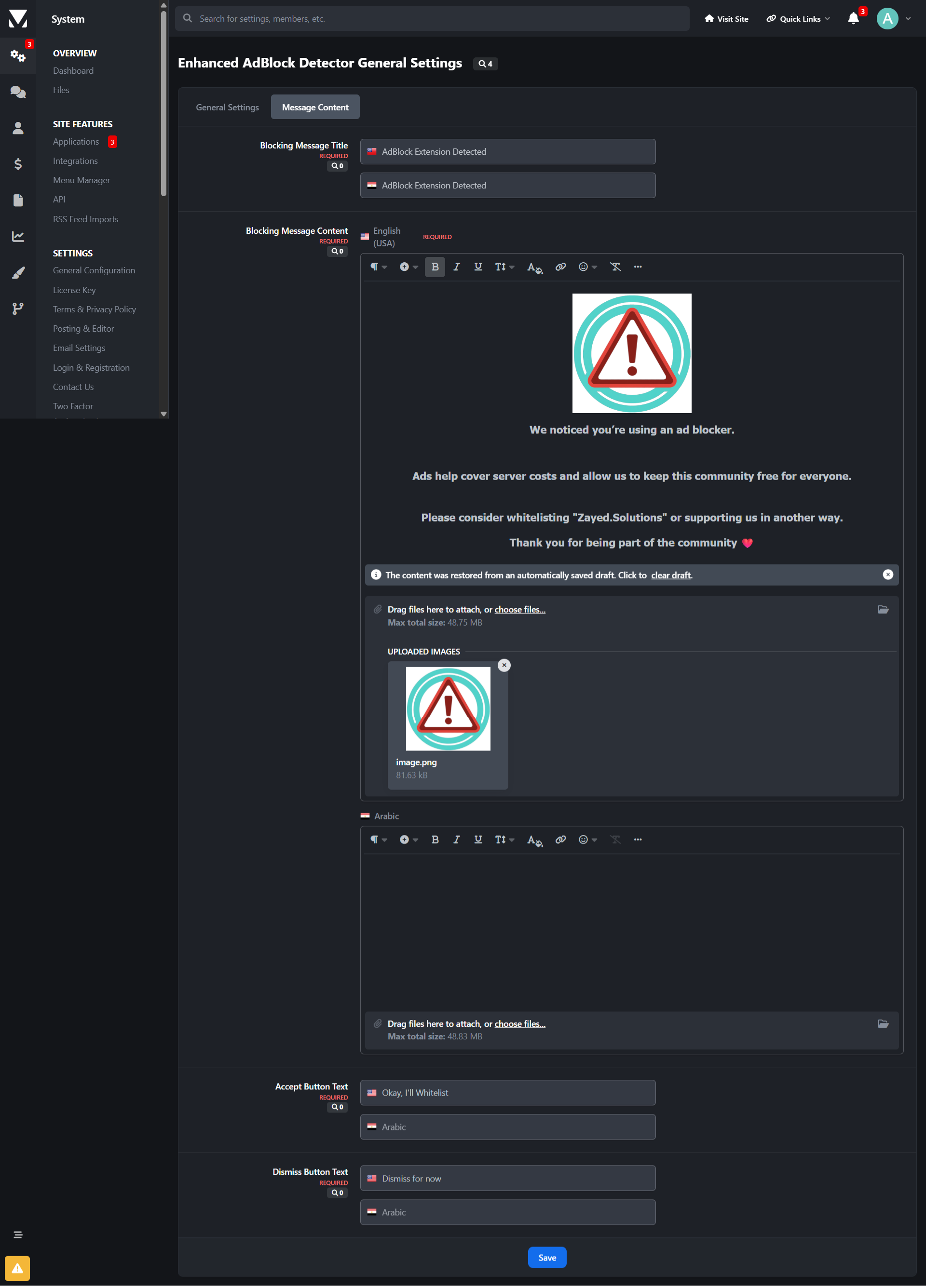
The message is displayed to registered members (this field is translatable, allowing you to customize the message for each language).
IPS5.0.x
This application will require that members fill in their birth date on the Register Screen and in their Profile.
Only new accounts meeting the minimum age requirement will be accepted.
Registered users will be unable to proceed further until they provide their birth date.
Settings:
Age bracket required.
Groups that must fill in their birth date (existing members).
The message is displayed to registered members (this field is translatable, allowing you to customize the message for each language).
This application will give the admin the ability to choose a group to move the member when:
An administrator bans the member permanently on their ACP profile
A moderator bans the member via the Warn System by choosing the option Suspend from accessing the site -> Indefinitely.
Setting:
Group to move the members
IPS5.0.x
This application will give the admin the ability to choose a group to move the member when:
An administrator bans the member permanently on their ACP profile
A moderator bans the member via the Warn System by choosing the option Suspend from accessing the site -> Indefinitely.
Setting:
Group to move the members
This application will add a new Contact Us form.
Features:
Ability to use permission-based departments, so you can choose which user groups can use each department.
Ability to send to everyone in any group by department
Ability to add several emails by department
Post topic to forum by department (Forums required)
Ability to add Extra Fields to the form and choose their position (before or after regular fields)
Custom email template
IPS5.0.x
This application will add a new Contact Us form.
Features:
Ability to use permission-based departments, so you can choose which user groups can use each department.
Ability to send to everyone in any group by department
Ability to add several emails by department
Post topic to forum by department (Forums required)
Ability to add Extra Fields to the form and choose their position (before or after regular fields)
Custom email template
Features:
Display topic thumbnails in:
Forum index (feed mode not supported).
Forum view.
Tags view.
Topic Feed widget.
IPS Featured Content.
Clubs.
Support for additional apps: Quick Search, Featured Content Pro, Pro Stats
Allow topic authors or specified member groups to select thumbnails from:
Images within the topic content,
External URLs
Manual uploads.
Ability to generate thumbnails from YouTube, Vimeo, Dailymotion.
Support for Grid View mode.
Option to replace Forum Icons with Topic Thumbnails.
IPS5.0.0+
Features:
Display topic thumbnails in:
Forum index (feed mode not supported).
Forum view.
Tags view.
Topic Feed widget.
IPS Featured Content.
Clubs.
Support for additional apps: Quick Search, Featured Content Pro, Pro Stats
Allow topic authors or specified member groups to select thumbnails from:
Images within the topic content,
External URLs
Manual uploads.
Ability to generate thumbnails from YouTube, Vimeo, Dailymotion.
Support for Grid View mode.
Option to replace Forum Icons with Topic Thumbnails.
This app will add 2 features to the Ignore System. One is an overview log where the admins will be able to see who ignored whom. The other feature will allow the admin(s) to force members to ignore each other by adding them to members ignore list. 
IPS5.0.0+
This app will add 2 features to the Ignore System. One is an overview log where the admins will be able to see who ignored whom. The other feature will allow the admin(s) to force members to ignore each other by adding them to members ignore list. 
This app will log 6 extra actions of your members and it will display them in their All Recent Account Activity block when viewing a member at the Admin Panel. The extra actions are as follow.
1. Searching Keywords
Whenever a member will search for something in your forum, the keyword/phrase will be logged and displayed on their recent account activity. This can come in handy imo, as it will show you what your members are looking for, so you can make adjustments/changes accordingly to attract more members and get better results.
2) Profile Viewing
Whenever a member will view someone 's profile.
3) Forum Viewing
Whenever a member will visit a forum.
4) Topic Viewing
Whenever a member will visit a topic.
5) Log In
Whenever a member logs in the forum.
6) Log Out
Whenever a member logs out of the forum.
Note:
All these extra actions mentioned above, will be logged and displayed on members history from the time that the app is installed. 
IPS5.0.0
This app will log 6 extra actions of your members and it will display them in their All Recent Account Activity block when viewing a member at the Admin Panel. The extra actions are as follow.
1. Searching Keywords
Whenever a member will search for something in your forum, the keyword/phrase will be logged and displayed on their recent account activity. This can come in handy imo, as it will show you what your members are looking for, so you can make adjustments/changes accordingly to attract more members and get better results.
2) Profile Viewing
Whenever a member will view someone 's profile.
3) Forum Viewing
Whenever a member will visit a forum.
4) Topic Viewing
Whenever a member will visit a topic.
5) Log In
Whenever a member logs in the forum.
6) Log Out
Whenever a member logs out of the forum.
Note:
All these extra actions mentioned above, will be logged and displayed on members history from the time that the app is installed. 
This app adds a new tab at the Member Management section in the Moderator CP of all the validating members at your forum. It might come in handy especially if you have a large number of validating members, as it allows the admins to get some help in managing them from their staff members without giving them access to the Admin Panel.
Permissions:
This app adds a new permission tab to the Moderator Permissions. To select the staff members that you want to manage the validating members at the Moderator CP, set the permission: Can the approve members from the Mod CP? to Yes and save the changes. 
Options:
Moderators have 2 options when managing the validating members. Those who are allowed to edit members will be able to edit them, those with permissions to view the ip addresses can check the ips of the validating members.
Multiple Approval& Deletion Selection:
There is also a quick multiple approval selection checkbox that will allow for a quick approval and/or deletion of all selected validating members. 
Moderator Log:
Whenever a member is approved and/or deleted from the ModCP the action will be logged in the Moderator Log page.
IPS5.0.0
This app adds a new tab at the Member Management section in the Moderator CP of all the validating members at your forum. It might come in handy especially if you have a large number of validating members, as it allows the admins to get some help in managing them from their staff members without giving them access to the Admin Panel.
Permissions:
This app adds a new permission tab to the Moderator Permissions. To select the staff members that you want to manage the validating members at the Moderator CP, set the permission: Can the approve members from the Mod CP? to Yes and save the changes. 
Options:
Moderators have 2 options when managing the validating members. Those who are allowed to edit members will be able to edit them, those with permissions to view the ip addresses can check the ips of the validating members.
Multiple Approval& Deletion Selection:
There is also a quick multiple approval selection checkbox that will allow for a quick approval and/or deletion of all selected validating members. 
Moderator Log:
Whenever a member is approved and/or deleted from the ModCP the action will be logged in the Moderator Log page.
Key Features:
✅ Auto Welcome - Automatically creates a welcome topic when a new member registers, helping foster engagement (you can choose to create a new topic or reply to an existing topic when welcoming new members)
✅ Auto Reply - Automatically respond to new topics with a predefined message, perfect for support forums to confirm message receipt.
✅ Restrict Consecutive Posts - Prevent users from posting multiple consecutive replies. A user must wait for another member to reply before they can post again in the same topic, reducing spam and encouraging balanced discussions.
✅ Topic Rules - Define and display custom rules for specific topics, ensuring users understand and follow guidelines before participating.
✅ Auto Pin - Automatically pin a topic when it reaches a predefined number of replies, keeping important discussions visible.
✅ Auto Lock - Automatically lock a topic when it reaches a set number of replies or after X days. Useful for limiting discussions in announcements, event promotions, job postings, or special offers to avoid irrelevant comments.
✅ Auto Delete - Permanently removes inactive topics based on the last post date (per-forum settings, with an option to exclude pinned/featured topics), helping keep the forum clean and efficient.
✅ Change Author - Change the author of a topic to another user, useful for content management or ownership transfers.
✅ Change Date - Easy to change topic's date.
✅ Edit title silently - Edit topic title without adding logs or history.
IPS5.0.0+
Key Features:
✅ Auto Welcome - Automatically creates a welcome topic when a new member registers, helping foster engagement (you can choose to create a new topic or reply to an existing topic when welcoming new members)
✅ Auto Reply - Automatically respond to new topics with a predefined message, perfect for support forums to confirm message receipt.
✅ Restrict Consecutive Posts - Prevent users from posting multiple consecutive replies. A user must wait for another member to reply before they can post again in the same topic, reducing spam and encouraging balanced discussions.
✅ Topic Rules - Define and display custom rules for specific topics, ensuring users understand and follow guidelines before participating.
✅ Auto Pin - Automatically pin a topic when it reaches a predefined number of replies, keeping important discussions visible.
✅ Auto Lock - Automatically lock a topic when it reaches a set number of replies or after X days. Useful for limiting discussions in announcements, event promotions, job postings, or special offers to avoid irrelevant comments.
✅ Auto Delete - Permanently removes inactive topics based on the last post date (per-forum settings, with an option to exclude pinned/featured topics), helping keep the forum clean and efficient.
✅ Change Author - Change the author of a topic to another user, useful for content management or ownership transfers.
✅ Change Date - Easy to change topic's date.
✅ Edit title silently - Edit topic title without adding logs or history.
Users will be moved to a chosen group or have their secondary groups changed after purchasing a file.
Requirements:
Downloads app
Settings:
Type of group to update: primary or secondary groups
Source groups
Destination group
IPS5.0.x
Users will be moved to a chosen group or have their secondary groups changed after purchasing a file.
Requirements:
Downloads app
Settings:
Type of group to update: primary or secondary groups
Source groups
Destination group

Top Developers

Last reviews

Applications Directory

A complete and convenient directory of applications for Invision Community, with categorization and sorting options.

Ratings and feedback

Only verified and trusted reviews!

Add new Application

Any developer can add their application to this directory.

You need to create account

Configure browser push notifications

Chrome (Android)
  1. Tap the lock icon next to the address bar.
  2. Tap Permissions → Notifications.
  3. Adjust your preference.
Chrome (Desktop)
  1. Click the padlock icon in the address bar.
  2. Select Site settings.
  3. Find Notifications and adjust your preference.