Jump to content
View in the app

A better way to browse. Learn more.

Invision Marketplace

A full-screen app on your home screen with push notifications, badges and more.

To install this app on iOS and iPadOS
  1. Tap the Share icon in Safari
  2. Scroll the menu and tap Add to Home Screen.
  3. Tap Add in the top-right corner.
To install this app on Android
  1. Tap the 3-dot menu (⋮) in the top-right corner of the browser.
  2. Tap Add to Home screen or Install app.
  3. Confirm by tapping Install.

Everything you need for your community

We will be moving to a new server soon, some downtime is expected.

Everything you need for your community

 Loading...
 Loading...
 Loading...
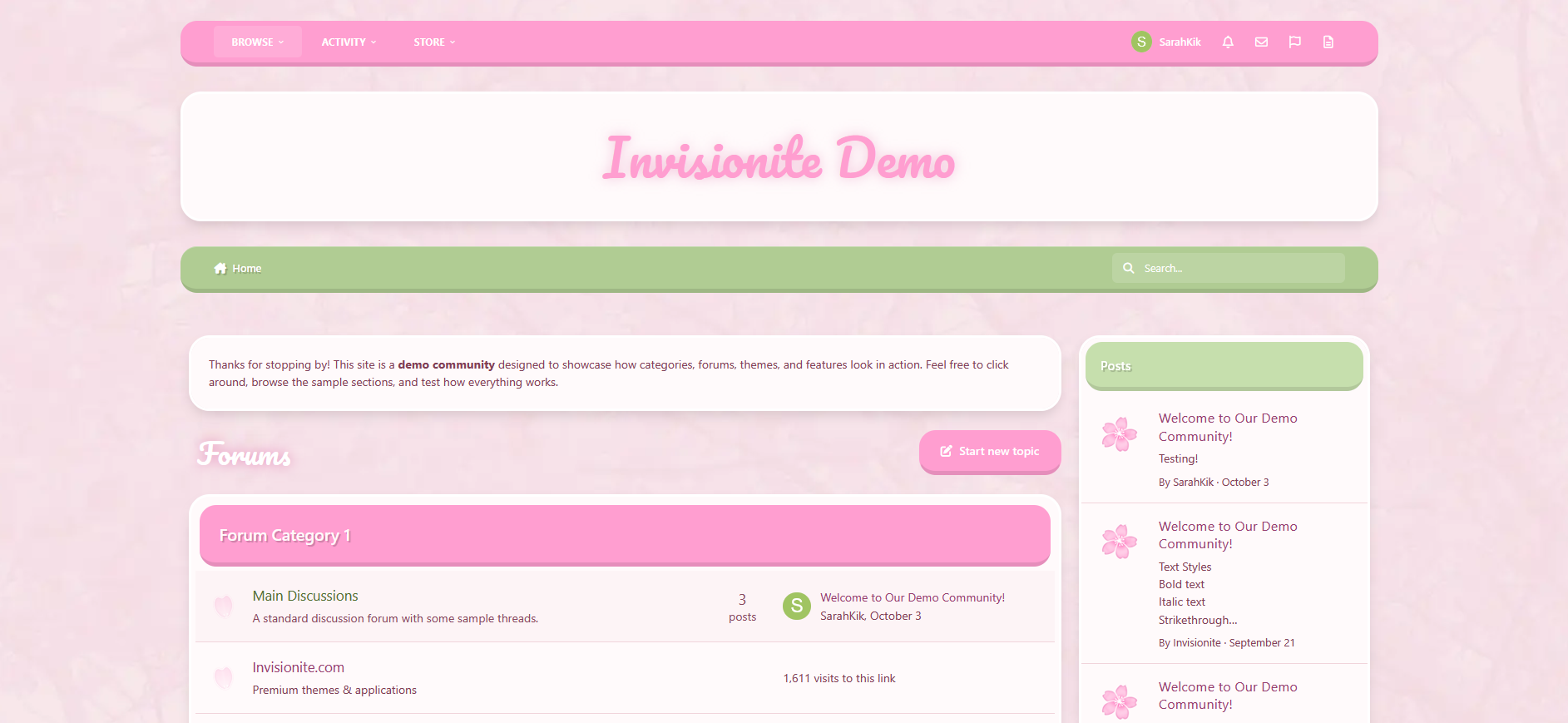
Cherry Blossom — A Soft and Refreshing Theme for Invision Community v5
Cherry Blossom brings a light and welcoming aesthetic to your community, inspired by spring tones and gentle design.
The theme focuses on clarity, comfort, and a sense of calm — perfect for communities that value friendliness, warmth, and a touch of color.
Live Demo (select Cherry Blossom)

Highlights
Soft color palette
A blend of pink and green hues gives the theme a peaceful, natural look. It feels bright without being overwhelming, ideal for daytime browsing.
Elegant minimal design
Rounded corners, light textures, and balanced spacing help your content stand out while maintaining a clean, cohesive presentation.
Custom header and forum styling
Distinct category headers and widget panels keep navigation intuitive, with thoughtful visual consistency throughout.
Optimized for Invision Community v5
Built using the latest template system, ensuring smooth performance, mobile responsiveness, and compatibility with all core applications.
Comfortable to read and use
The contrast and layout are tuned for easy legibility, making it suitable for long-form discussions, lifestyle communities, or creative projects.

What’s Included
Full Invision Community v5 theme
Custom header, footer, and content styling
Pink and green base colors with soft gradients
Light textured background for subtle depth
Styled widgets, buttons, and containers
IPS5.0.0+
Cherry Blossom — A Soft and Refreshing Theme for Invision Community v5
Cherry Blossom brings a light and welcoming aesthetic to your community, inspired by spring tones and gentle design.
The theme focuses on clarity, comfort, and a sense of calm — perfect for communities that value friendliness, warmth, and a touch of color.
Live Demo (select Cherry Blossom)

Highlights
Soft color palette
A blend of pink and green hues gives the theme a peaceful, natural look. It feels bright without being overwhelming, ideal for daytime browsing.
Elegant minimal design
Rounded corners, light textures, and balanced spacing help your content stand out while maintaining a clean, cohesive presentation.
Custom header and forum styling
Distinct category headers and widget panels keep navigation intuitive, with thoughtful visual consistency throughout.
Optimized for Invision Community v5
Built using the latest template system, ensuring smooth performance, mobile responsiveness, and compatibility with all core applications.
Comfortable to read and use
The contrast and layout are tuned for easy legibility, making it suitable for long-form discussions, lifestyle communities, or creative projects.

What’s Included
Full Invision Community v5 theme
Custom header, footer, and content styling
Pink and green base colors with soft gradients
Light textured background for subtle depth
Styled widgets, buttons, and containers
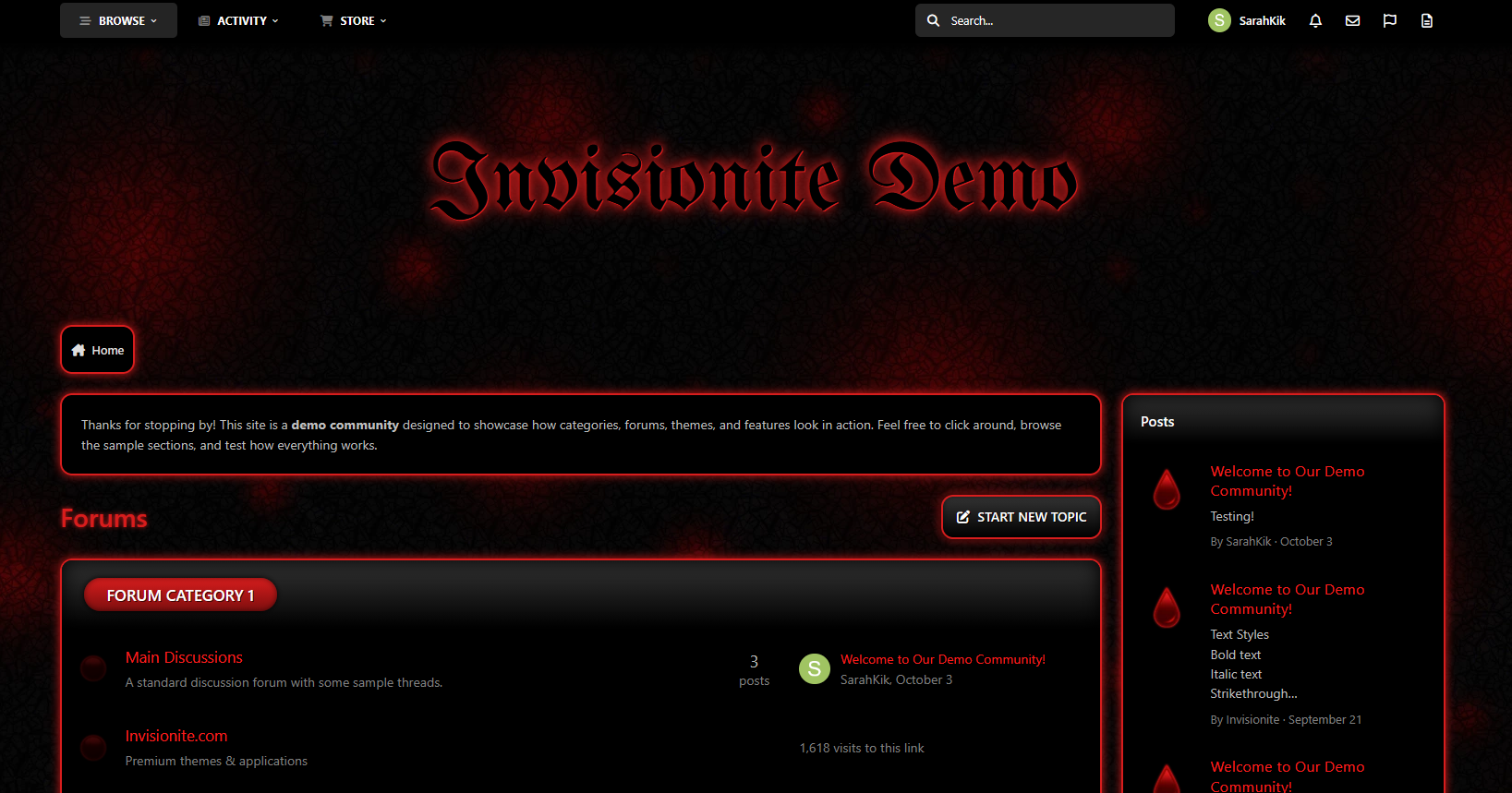
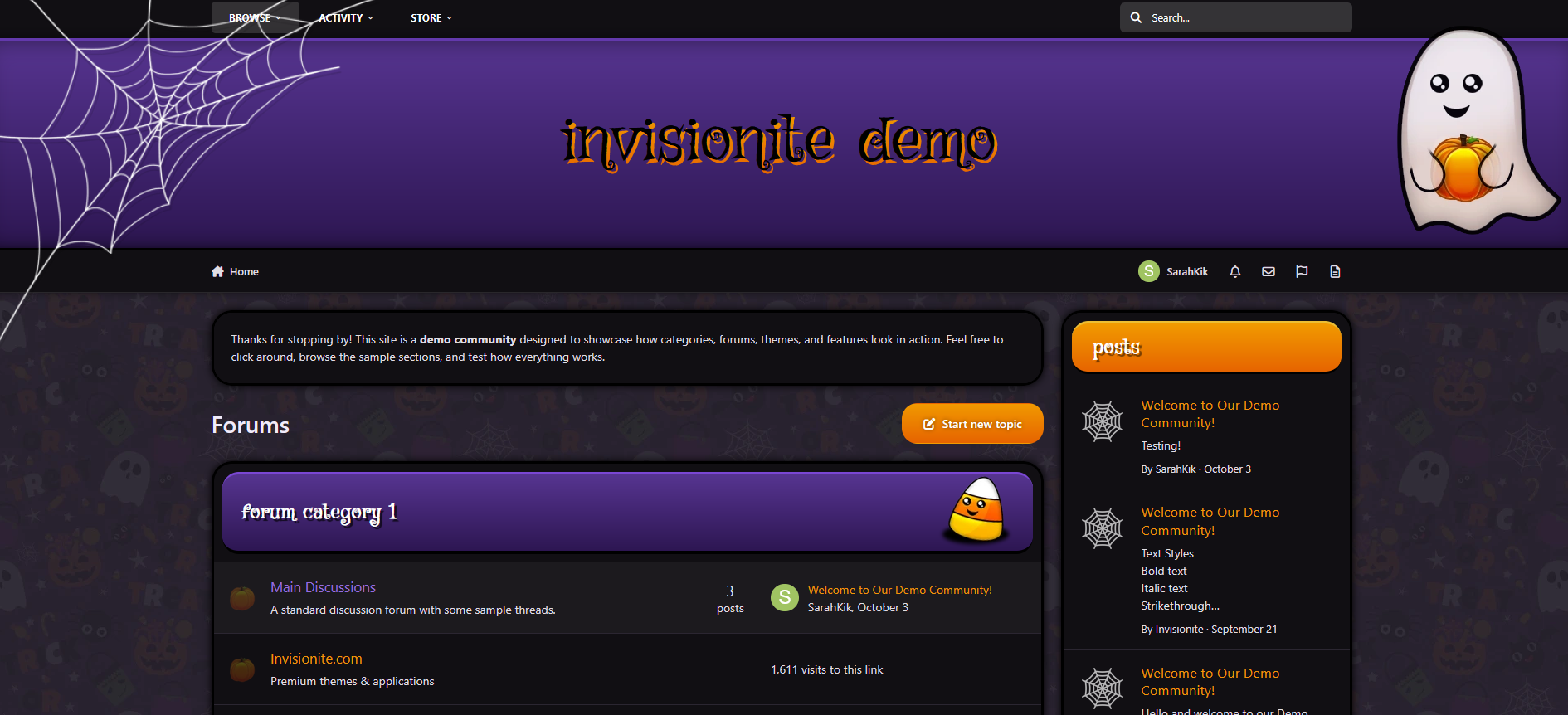
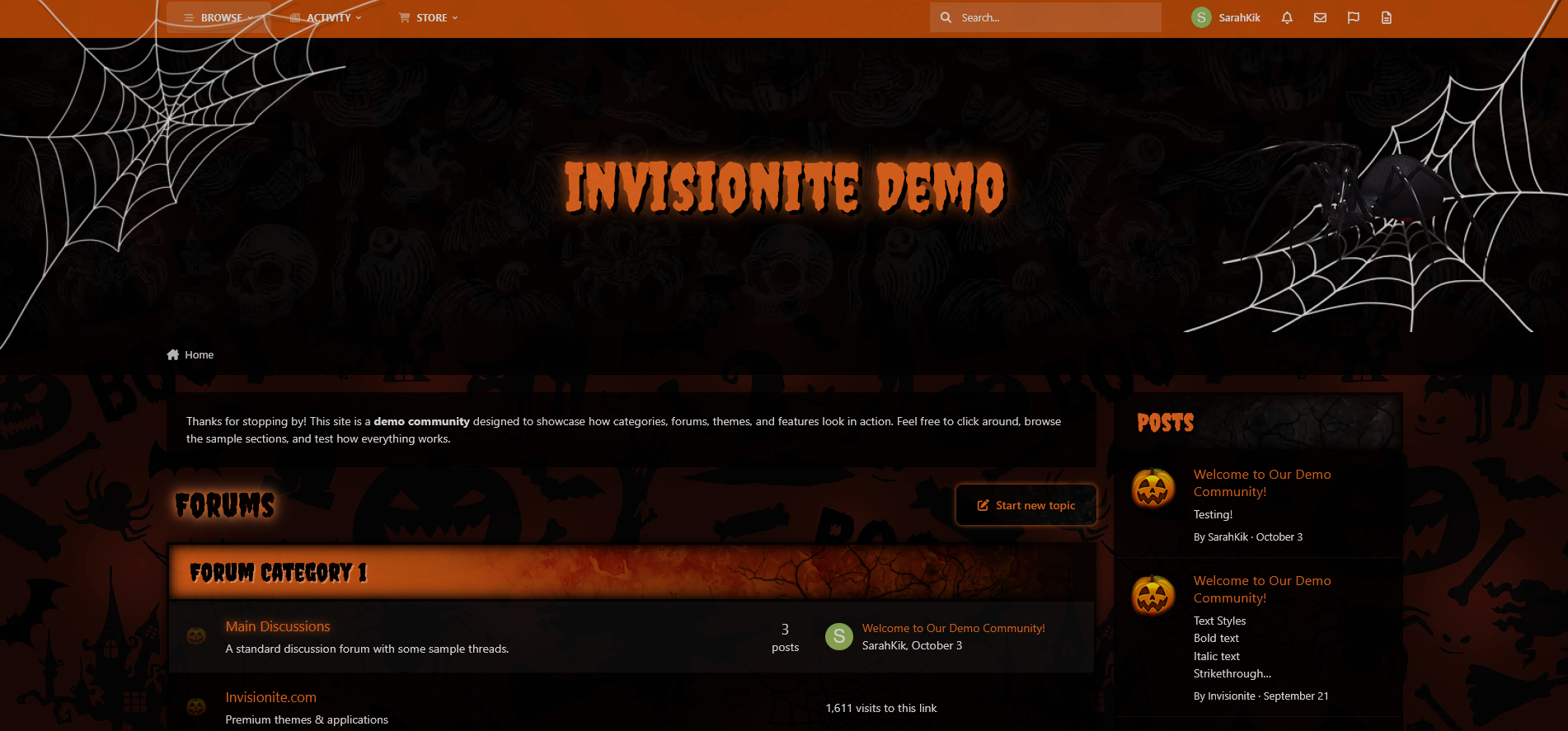
Spooky Halloween — A Haunting Seasonal Theme for Invision Community v5
Spooky Halloween is a dark, classic take on the Halloween season — designed to evoke nostalgic creepy night time vibes.
Live Demo (select Spooky Halloween)
Highlights
A scary, classic take
Iconic Halloween symbols subtly displayed throughout dark backgrounds with pops of orange help maintain an eerie atmosphere while still making things easy to read and find.
Creepy and kooky, all around spooky
Distressed and grungy elements, bold ragged fonts and orange glows reminiscent of old horror movie posters.
Custom seasonal touches
Decorative webs, spiders, trees, and themed forum icons help set the mood without overwhelming your content.
Built for Invision Community v5
Developed using v5’s updated template structure, ensuring modern design standards, improved responsiveness, and compatibility with all core apps.
Perfect for October events
If you’re a fan of Halloween, horror movies, adding seasonal activities, or just decorating for the month, this theme fits right in.

What’s Included
Complete Invision Community v5 theme
Custom header, footer, and background artwork
Styled widgets and forum containers
Forum icons and accents

IPS5.0.0+
Spooky Halloween — A Haunting Seasonal Theme for Invision Community v5
Spooky Halloween is a dark, classic take on the Halloween season — designed to evoke nostalgic creepy night time vibes.
Live Demo (select Spooky Halloween)
Highlights
A scary, classic take
Iconic Halloween symbols subtly displayed throughout dark backgrounds with pops of orange help maintain an eerie atmosphere while still making things easy to read and find.
Creepy and kooky, all around spooky
Distressed and grungy elements, bold ragged fonts and orange glows reminiscent of old horror movie posters.
Custom seasonal touches
Decorative webs, spiders, trees, and themed forum icons help set the mood without overwhelming your content.
Built for Invision Community v5
Developed using v5’s updated template structure, ensuring modern design standards, improved responsiveness, and compatibility with all core apps.
Perfect for October events
If you’re a fan of Halloween, horror movies, adding seasonal activities, or just decorating for the month, this theme fits right in.

What’s Included
Complete Invision Community v5 theme
Custom header, footer, and background artwork
Styled widgets and forum containers
Forum icons and accents

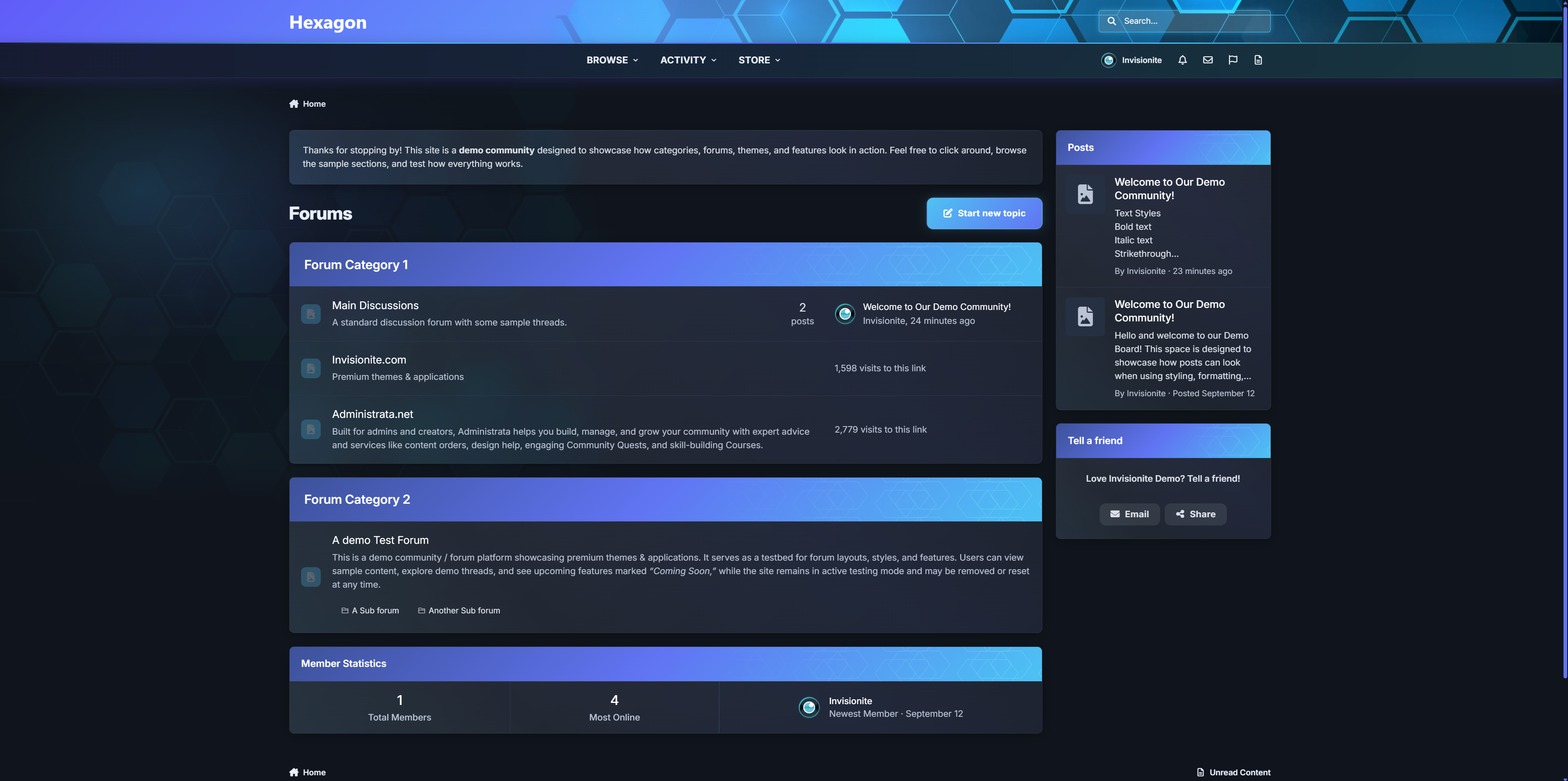
A premium Invision Community theme that blends soft glass surfaces, neon cyan accents, and a subtle hex-mesh motif. Hexagon ships with both dark and light modes, a refined mobile experience, and dozens of tasteful micro-interactions that make communities feel premium without feeling flashy.
LIVE DEMO
Pricing
Price: $39
Renewal: $15 / 6 months
License: 1 community

Highlights
Signature Gradient Header - cyan to purple blend with a hex overlay and masked shine.
Polished Components - boxes, widgets, and cards use glass surfaces, soft shadows, and glowing borders (light & dark tuned).
Elegant Menus - user menu, nav dropdowns, etc share one cohesive “glass panel” look with animated highlights.
Premium Mobile Header & Footer - beautifully styled with blurred transparent look.
Refined Off-Canvas Panels - notifications, messages, and search use a translucent sheet with drag-handle, blur and depth.
Focused Inputs - search/editor/fields get cyan focus rings, and subtle glow.
First Post - First post in topic is optically styled different to put focus on OP.
Theming Tokens - change a few CSS variables to rebrand colors fast (--accent-cyan, --new-purple, radii, shadows).
Performance-friendly - pure CSS (no JS added), prefers-reduced-motion support, and iOS z-index/safe-area fixes baked in.
Accessibility touches - larger targets, clear focus, high-contrast hover states, semantic aria-expanded behaviors.

Roadmap: extra color presets, and “no-hex” variant.
IPS5.0.0+
A premium Invision Community theme that blends soft glass surfaces, neon cyan accents, and a subtle hex-mesh motif. Hexagon ships with both dark and light modes, a refined mobile experience, and dozens of tasteful micro-interactions that make communities feel premium without feeling flashy.
LIVE DEMO
Pricing
Price: $39
Renewal: $15 / 6 months
License: 1 community

Highlights
Signature Gradient Header - cyan to purple blend with a hex overlay and masked shine.
Polished Components - boxes, widgets, and cards use glass surfaces, soft shadows, and glowing borders (light & dark tuned).
Elegant Menus - user menu, nav dropdowns, etc share one cohesive “glass panel” look with animated highlights.
Premium Mobile Header & Footer - beautifully styled with blurred transparent look.
Refined Off-Canvas Panels - notifications, messages, and search use a translucent sheet with drag-handle, blur and depth.
Focused Inputs - search/editor/fields get cyan focus rings, and subtle glow.
First Post - First post in topic is optically styled different to put focus on OP.
Theming Tokens - change a few CSS variables to rebrand colors fast (--accent-cyan, --new-purple, radii, shadows).
Performance-friendly - pure CSS (no JS added), prefers-reduced-motion support, and iOS z-index/safe-area fixes baked in.
Accessibility touches - larger targets, clear focus, high-contrast hover states, semantic aria-expanded behaviors.

Roadmap: extra color presets, and “no-hex” variant.
Explore Feeds 2.0
A smarter, more social way to experience your community
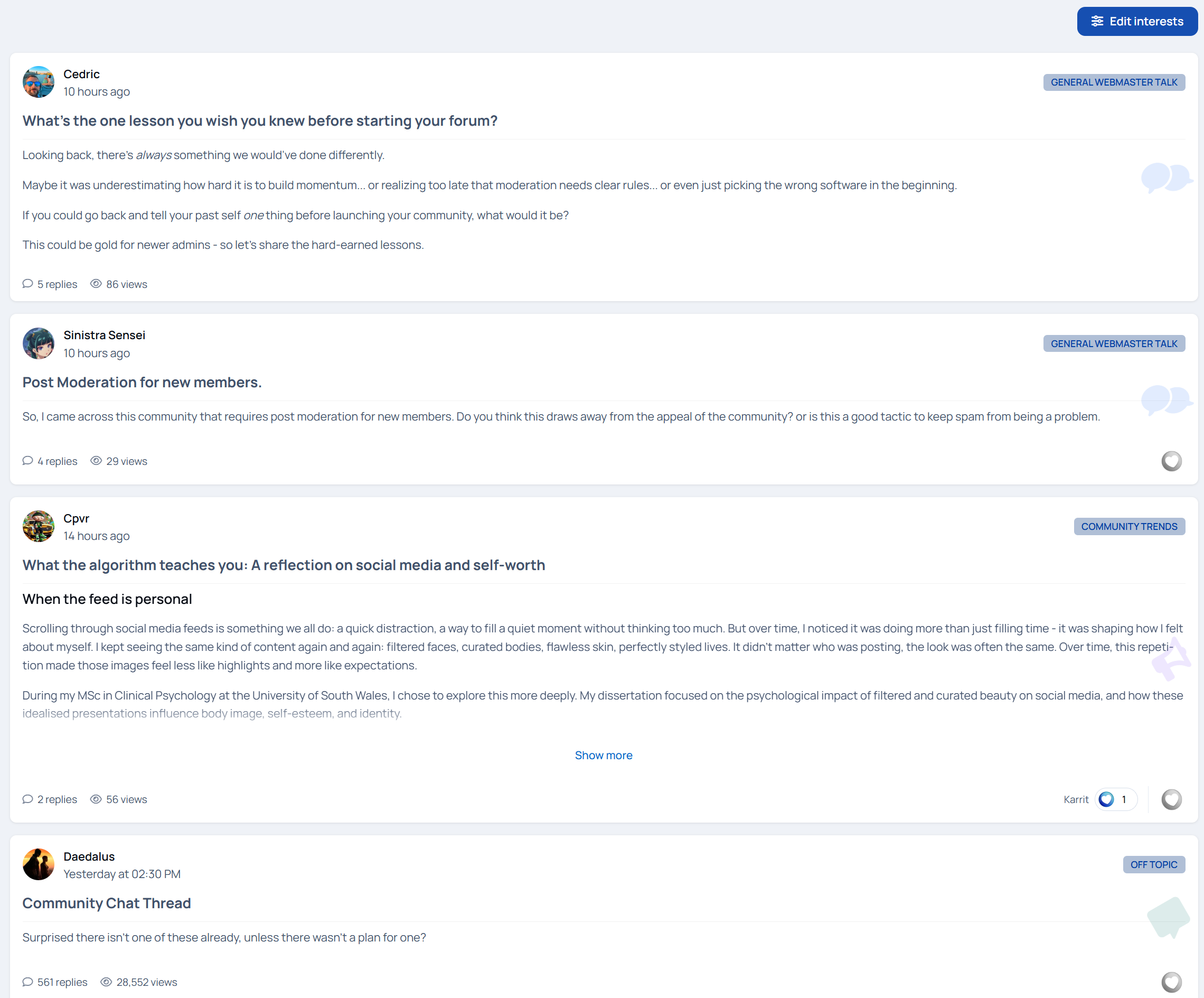
Explore Feeds reimagines how members discover and interact with content. Instead of forcing people to browse forums the “old way,” it delivers a personalized, living feed that feels familiar, engaging, and effortless.
Members choose what they care about.
Explore Feeds does the rest.
Want cars and design? That’s what shows up.
Only interested in writing or business? Your feed reflects it.
No clutter. No digging. Just relevant content, front and center.
Now fully interactive
Version 2 turns Explore Feeds from a passive browsing experience into an active, social one.
Members can now reply directly inside the feed, create new topics without leaving the page, react to posts, and edit their content in place. The feed stays alive, updating automatically as new replies and topics come in - just like a modern activity stream.
Everything happens where the content lives.

Built for engagement, not empty pages
Explore Feeds is now fully enabled for both guests and members by default. That means no empty feeds and no dead first impressions. You can confidently use it as your landing page, showing fresh, active content the moment someone arrives.
Navigation stays smooth too - users remain on the feed instead of being redirected away when interacting with content.

Clear signals, better conversations
To help members instantly understand what’s happening, Explore Feeds now includes engagement labels right in the stream:
Fast • 6/day • Active 10 minutes ago
Be the first to reply
First topic
Recently active discussions
These subtle cues encourage participation and make active conversations impossible to miss.
Replies now display with newest at the top, keeping discussions current and reducing scrolling friction. “Show older replies” lets members dig deeper when they want to.

More than just forums
Explore Feeds now supports blogs and articles, allowing you to surface editorial content alongside forum discussions in one unified feed. Long-form writing, announcements, or community discussions, everything flows together naturally.
Choose between interests-based or the forum filter system to give users even more control over what they see.

Key Features
Interest-based personalized feeds
Inline replying and topic creation
Reactions directly in the feed
Engagement labels for activity awareness
Blog and article support
Auto-updating feed and reply stream
Guest-ready feeds (perfect for landing pages)
Forum filtering system
Infinite scroll for continuous discovery
“Show more” handling for long posts
Smart synonyms system with customizable JSON support
A live demo can be found on Administrata.
What’s New (1.0.0 → 1.2.2)
Added inline replying directly inside the feed
Added topic creation from the feed
Added reactions support within the feed
Added topic engagement labels (Fast, activity rate, last active time, First Topic, Be the first to reply, etc.)
Added full blog content support
Added full article content support (Pages / Articles)
Added post and reply edit functionality
Enabled feeds for guests and members by default (no empty feeds)
Feed can now be used as a landing page
Added forum filter system
Reversed reply order (newest replies now appear at the top)
Updated redirection logic to keep users on the feed page
Fixed an issue where topic creation remembered previously posted topics
Renamed “Show more replies” to “Show older replies”
Increased username font size by 2px
Improved mobile reaction layout to prevent viewport overflow
Added auto-updating feed using All Activity logic
Added full auto-updating reply and post streams
Added live update indicator for new content
IPS5.0.0+
Explore Feeds 2.0
A smarter, more social way to experience your community
Explore Feeds reimagines how members discover and interact with content. Instead of forcing people to browse forums the “old way,” it delivers a personalized, living feed that feels familiar, engaging, and effortless.
Members choose what they care about.
Explore Feeds does the rest.
Want cars and design? That’s what shows up.
Only interested in writing or business? Your feed reflects it.
No clutter. No digging. Just relevant content, front and center.
Now fully interactive
Version 2 turns Explore Feeds from a passive browsing experience into an active, social one.
Members can now reply directly inside the feed, create new topics without leaving the page, react to posts, and edit their content in place. The feed stays alive, updating automatically as new replies and topics come in - just like a modern activity stream.
Everything happens where the content lives.

Built for engagement, not empty pages
Explore Feeds is now fully enabled for both guests and members by default. That means no empty feeds and no dead first impressions. You can confidently use it as your landing page, showing fresh, active content the moment someone arrives.
Navigation stays smooth too - users remain on the feed instead of being redirected away when interacting with content.

Clear signals, better conversations
To help members instantly understand what’s happening, Explore Feeds now includes engagement labels right in the stream:
Fast • 6/day • Active 10 minutes ago
Be the first to reply
First topic
Recently active discussions
These subtle cues encourage participation and make active conversations impossible to miss.
Replies now display with newest at the top, keeping discussions current and reducing scrolling friction. “Show older replies” lets members dig deeper when they want to.

More than just forums
Explore Feeds now supports blogs and articles, allowing you to surface editorial content alongside forum discussions in one unified feed. Long-form writing, announcements, or community discussions, everything flows together naturally.
Choose between interests-based or the forum filter system to give users even more control over what they see.

Key Features
Interest-based personalized feeds
Inline replying and topic creation
Reactions directly in the feed
Engagement labels for activity awareness
Blog and article support
Auto-updating feed and reply stream
Guest-ready feeds (perfect for landing pages)
Forum filtering system
Infinite scroll for continuous discovery
“Show more” handling for long posts
Smart synonyms system with customizable JSON support
A live demo can be found on Administrata.
What’s New (1.0.0 → 1.2.2)
Added inline replying directly inside the feed
Added topic creation from the feed
Added reactions support within the feed
Added topic engagement labels (Fast, activity rate, last active time, First Topic, Be the first to reply, etc.)
Added full blog content support
Added full article content support (Pages / Articles)
Added post and reply edit functionality
Enabled feeds for guests and members by default (no empty feeds)
Feed can now be used as a landing page
Added forum filter system
Reversed reply order (newest replies now appear at the top)
Updated redirection logic to keep users on the feed page
Fixed an issue where topic creation remembered previously posted topics
Renamed “Show more replies” to “Show older replies”
Increased username font size by 2px
Improved mobile reaction layout to prevent viewport overflow
Added auto-updating feed using All Activity logic
Added full auto-updating reply and post streams
Added live update indicator for new content
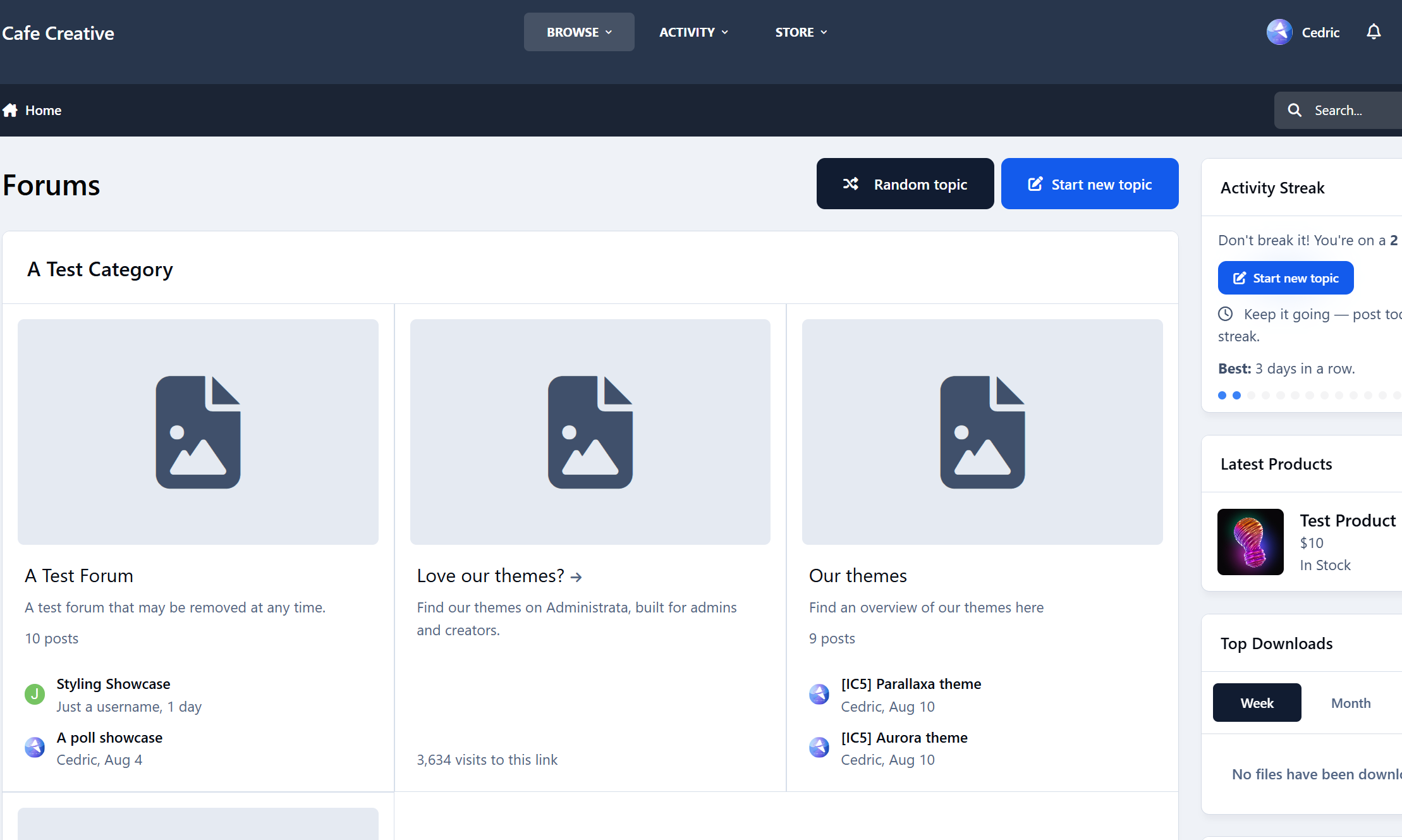
A tiny app that drops members into a random discussion to help them discover great topics they’d otherwise miss. It adds a “Random Topic” button right next to “Start new topic.” The buttons are placed intentionally so members can keep hitting that button again and again.

Drive engagement
Surface long-tail content: Old-but-gold threads get fresh eyes, comments, and reactions.
Reduce choice paralysis: One click, one destination - perfect for new or casual visitors.
Boost session depth: Random jumps keep people moving, increasing time on site and pageviews.


Pro tip: Pair with onboarding or your “Welcome” widget - new members love a guided first click.

Changelog
v1.0.0 – Initial release.
Feedback, bugs, or feature requests? Don’t hesitate to reach out.
IPS5.0.0+
A tiny app that drops members into a random discussion to help them discover great topics they’d otherwise miss. It adds a “Random Topic” button right next to “Start new topic.” The buttons are placed intentionally so members can keep hitting that button again and again.

Drive engagement
Surface long-tail content: Old-but-gold threads get fresh eyes, comments, and reactions.
Reduce choice paralysis: One click, one destination - perfect for new or casual visitors.
Boost session depth: Random jumps keep people moving, increasing time on site and pageviews.


Pro tip: Pair with onboarding or your “Welcome” widget - new members love a guided first click.

Changelog
v1.0.0 – Initial release.
Feedback, bugs, or feature requests? Don’t hesitate to reach out.
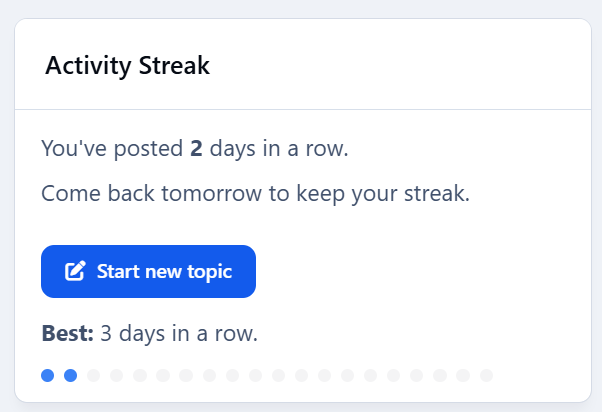
Drive engagement - give members a reason to come back tomorrow. Activity Streaks tracks consecutive posting days, shows a friendly widget, and plugs into Achievements so you can award points/badges at milestones (3, 7, 14, 30, 100… you choose).

Highlights
Streak widget with multiple visualizations: Dots (classic), Weekly goal meter, Big number badge, Milestone progress bar, Compact sparkline, Donut meter.
“Best streak” label (member & profile sidebar support).
Achievements action: Streak reaches N days — award points/badges at the exact day threshold.
Admin-friendly rules: create multiple thresholds (e.g., 3/7/14/30/100) with your own points/badges.
End-of-day nudge (optional): configurable reminder hour.
Visibility controls: limit the widget to selected member groups.
Performance aware: lightweight queries with caching; adjustable TTL.
No external services: respects IPS permissions; zero tracking.

nudge.mp4
"Enable end-of-day nudge by default" will show a subtle effect reminding people to post.


Admin controls
Per-widget override of visualization style.
Fixed or auto milestones for bar/donut views.
Optional custom donut goals (CSV).
Group visibility allow-list.
Cache TTL (seconds).
What’s included
Application
Example rule presets to import.
Install & setup (2 minutes)
Upload & install the app in ACP.
Add the Activity Streak widget to a sidebar or block area.
(Optional) In Achievements → Rules, add rules like:
3 days → 10 pts + “Getting Warm” badge
7 days → 25 pts + “1-Week Streak” badge
14 days → 50 pts + “Two Weeks on Fire” badge
30 days → 100 pts + Silver badge
100 days → 300 pts + Gold badge
Save. Members earn awards the moment they hit each threshold.
Notes
Streaks are based on days with at least one qualifying post (or allowed content) - not logins.
Timezone behavior follows your IPS configuration.

Changelog
v1.0.0 – Initial release.

Feedback, bugs or feature requests? Don't hesitate to let me know.
IPS5.0.0+
Drive engagement - give members a reason to come back tomorrow. Activity Streaks tracks consecutive posting days, shows a friendly widget, and plugs into Achievements so you can award points/badges at milestones (3, 7, 14, 30, 100… you choose).

Highlights
Streak widget with multiple visualizations: Dots (classic), Weekly goal meter, Big number badge, Milestone progress bar, Compact sparkline, Donut meter.
“Best streak” label (member & profile sidebar support).
Achievements action: Streak reaches N days — award points/badges at the exact day threshold.
Admin-friendly rules: create multiple thresholds (e.g., 3/7/14/30/100) with your own points/badges.
End-of-day nudge (optional): configurable reminder hour.
Visibility controls: limit the widget to selected member groups.
Performance aware: lightweight queries with caching; adjustable TTL.
No external services: respects IPS permissions; zero tracking.

nudge.mp4
"Enable end-of-day nudge by default" will show a subtle effect reminding people to post.


Admin controls
Per-widget override of visualization style.
Fixed or auto milestones for bar/donut views.
Optional custom donut goals (CSV).
Group visibility allow-list.
Cache TTL (seconds).
What’s included
Application
Example rule presets to import.
Install & setup (2 minutes)
Upload & install the app in ACP.
Add the Activity Streak widget to a sidebar or block area.
(Optional) In Achievements → Rules, add rules like:
3 days → 10 pts + “Getting Warm” badge
7 days → 25 pts + “1-Week Streak” badge
14 days → 50 pts + “Two Weeks on Fire” badge
30 days → 100 pts + Silver badge
100 days → 300 pts + Gold badge
Save. Members earn awards the moment they hit each threshold.
Notes
Streaks are based on days with at least one qualifying post (or allowed content) - not logins.
Timezone behavior follows your IPS configuration.

Changelog
v1.0.0 – Initial release.

Feedback, bugs or feature requests? Don't hesitate to let me know.
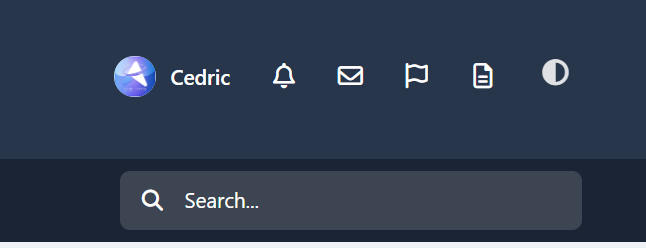
A tiny add-on that puts a single theme icon next to the user area. Tap it to choose Light, Dark, or System—using IPS’s built-in color-scheme logic. Clean, fast, and theme-friendly.
Highlights
One neutral “theme” icon with a dropdown (Light / Dark / System).
Works in the desktop header and mobile header (same UX everywhere).
Uses IPS core controller—no custom JS frameworks, no settings, no bloat.
Respects safe areas, tooltips, accessibility labels, and your header colors.
IPS5.0.0+
A tiny add-on that puts a single theme icon next to the user area. Tap it to choose Light, Dark, or System—using IPS’s built-in color-scheme logic. Clean, fast, and theme-friendly.
Highlights
One neutral “theme” icon with a dropdown (Light / Dark / System).
Works in the desktop header and mobile header (same UX everywhere).
Uses IPS core controller—no custom JS frameworks, no settings, no bloat.
Respects safe areas, tooltips, accessibility labels, and your header colors.
Topper — smart “back to top” button for Invision Community v5
A tiny, polished utility that adds a floating Back to Top button across your community. It stays out of the way at the top of a page and appears only after you scroll halfway (or near the bottom). On desktop you can also show a “go down” button; on mobile the Up button is placed precisely above bottom bars and iOS safe areas (including PWAs).

Highlights
Clean UI with optional circular progress ring around the button.
Mobile-perfect placement (safe-area aware, PWA-aware, above the hamburger bar).
Desktop/phone behavior tuned separately (Down button hidden on mobile).
Keyboard access: press T to jump to the top.

Admin controls (ACP)
Find it under Customization → Appearance → Topper.
You can configure:
Position: bottom-right / bottom-left / top-right / top-left
Offsets (X/Y) + a separate mobile offset
Visibility: “Always show”, or show after N px (button also shows when near the bottom)
Size (desktop + mobile), shape (circle / rounded)
Colors: background, hover, icon, opacity
Smooth scroll on click
Progress ring toggle
Show on mobile toggle
Keyboard shortcut (T) toggle
Compatibility
Invision Community v5 (tested on recent builds)
Works with light/dark themes and custom themes

1.0.0
Initial release: progress ring, mobile/PWA safe positioning, desktop “Down” button, keyboard shortcut, half-page/near-bottom reveal logic, full ACP settings.
IPS5.0.0+
Topper — smart “back to top” button for Invision Community v5
A tiny, polished utility that adds a floating Back to Top button across your community. It stays out of the way at the top of a page and appears only after you scroll halfway (or near the bottom). On desktop you can also show a “go down” button; on mobile the Up button is placed precisely above bottom bars and iOS safe areas (including PWAs).

Highlights
Clean UI with optional circular progress ring around the button.
Mobile-perfect placement (safe-area aware, PWA-aware, above the hamburger bar).
Desktop/phone behavior tuned separately (Down button hidden on mobile).
Keyboard access: press T to jump to the top.

Admin controls (ACP)
Find it under Customization → Appearance → Topper.
You can configure:
Position: bottom-right / bottom-left / top-right / top-left
Offsets (X/Y) + a separate mobile offset
Visibility: “Always show”, or show after N px (button also shows when near the bottom)
Size (desktop + mobile), shape (circle / rounded)
Colors: background, hover, icon, opacity
Smooth scroll on click
Progress ring toggle
Show on mobile toggle
Keyboard shortcut (T) toggle
Compatibility
Invision Community v5 (tested on recent builds)
Works with light/dark themes and custom themes

1.0.0
Initial release: progress ring, mobile/PWA safe positioning, desktop “Down” button, keyboard shortcut, half-page/near-bottom reveal logic, full ACP settings.
Bring your Downloads section to life with HoverShots - a smooth, eye-catching way to preview multiple screenshots right from the file card.
On desktop, simply hover over a file’s thumbnail and watch the screenshots cycle automatically. On mobile, a discreet Preview button appears inside the image, letting visitors tap to start a short preview without opening the file page.
HoverShots works seamlessly in category listings, the main Downloads page, and other grid-based displays. It respects mobile usability as it skips small/minimal grid items, and avoids interfering with clicks or navigation.
Give your files the attention they deserve and make browsing more engaging for your community.

preview.mp4
IPS5.0.0+
Bring your Downloads section to life with HoverShots - a smooth, eye-catching way to preview multiple screenshots right from the file card.
On desktop, simply hover over a file’s thumbnail and watch the screenshots cycle automatically. On mobile, a discreet Preview button appears inside the image, letting visitors tap to start a short preview without opening the file page.
HoverShots works seamlessly in category listings, the main Downloads page, and other grid-based displays. It respects mobile usability as it skips small/minimal grid items, and avoids interfering with clicks or navigation.
Give your files the attention they deserve and make browsing more engaging for your community.

preview.mp4
Elegant. Modern. Designed to Flow.
Aurora returns — now rebuilt for Invision Community v5.
A refined remake of our popular XenForo variant, this version of Aurora blends soft gradients, clean panels, and adaptive dark/light modes for a theme that feels as smooth as it looks. It’s professional without being cold, stylish without losing usability.
Perfect for communities that want a premium, future-ready design that still feels effortless.
Demo: Select Aurora from the theme switcher.

✔️ Classic Aurora Reimagined
Our beloved XenForo Aurora design is now optimized for IPS v5 — keeping the signature flowing gradients while reworking every element for Invision’s modern framework.
✔️ Adaptive Dark & Light Modes
Aurora automatically adapts to the user’s theme choice or OS setting, delivering consistent, balanced visuals in any environment.
✔️ Gradient Category & Widget Headers
Forum categories and widgets feature Aurora’s signature gradient trim — crisp, modern, and seamlessly blending with the rest of the UI.
✔️ Smooth UI
Panels, widgets, and dropdowns keep it clean, assuring focus on your content while adding depth.
✔️ Styled Scrollbars & Details
Custom-themed scrollbars, button accents, and header lines ensure even the smallest details feel consistent.
✔️ Pixel-Perfect for Any Niche
From tech forums to creative communities, Aurora delivers a clean canvas that’s ready for your brand and content.

We've redefined Aurora — A more polished experience built for today’s IPS communities. If you loved the XenForo version, you’ll feel right at home here.
IPS5.0.0+
Elegant. Modern. Designed to Flow.
Aurora returns — now rebuilt for Invision Community v5.
A refined remake of our popular XenForo variant, this version of Aurora blends soft gradients, clean panels, and adaptive dark/light modes for a theme that feels as smooth as it looks. It’s professional without being cold, stylish without losing usability.
Perfect for communities that want a premium, future-ready design that still feels effortless.
Demo: Select Aurora from the theme switcher.

✔️ Classic Aurora Reimagined
Our beloved XenForo Aurora design is now optimized for IPS v5 — keeping the signature flowing gradients while reworking every element for Invision’s modern framework.
✔️ Adaptive Dark & Light Modes
Aurora automatically adapts to the user’s theme choice or OS setting, delivering consistent, balanced visuals in any environment.
✔️ Gradient Category & Widget Headers
Forum categories and widgets feature Aurora’s signature gradient trim — crisp, modern, and seamlessly blending with the rest of the UI.
✔️ Smooth UI
Panels, widgets, and dropdowns keep it clean, assuring focus on your content while adding depth.
✔️ Styled Scrollbars & Details
Custom-themed scrollbars, button accents, and header lines ensure even the smallest details feel consistent.
✔️ Pixel-Perfect for Any Niche
From tech forums to creative communities, Aurora delivers a clean canvas that’s ready for your brand and content.

We've redefined Aurora — A more polished experience built for today’s IPS communities. If you loved the XenForo version, you’ll feel right at home here.
Striking. Immersive. Built for motion.
Step into Parallaxa, a game-inspired Invision Community v5 theme designed for depth, energy, and customization. With a responsive parallax header, animated accents, glass surfaces, and dynamic color presets, Parallaxa sets the stage for communities that want more than just a basic skin — they want a vibe.
Whether you run a gaming forum, creative project hub, or a content-heavy platform, Parallaxa delivers immersive style with functional clarity.
Demo: Select Parallaxa from the theme switcher.

✔️ Live Parallax Header
A responsive hero header with optional background selector, layered gradients, and gentle movement to add dimension and presence.
✔️ Dynamic Background Selector
Let your users switch between multiple thematic backgrounds with a seamless, mobile-friendly overlay — complete with animated previews and dark blur effect.
✔️ Accent Color Presets
Switch between vibrant preset colors like blue, red, lime, purple, and more. All UI elements update instantly — from icons to buttons to glow effects.
✔️ Glass UI with Depth
Menus, widgets, and content areas feature soft blurs and transparent panels, evoking that frosted-glass feel while keeping everything readable and responsive.
✔️ Shiny Buttons & Animated Glow
Buttons are styled with a layered gloss and animated sheen. Hover states glow, but never feel jarring. Perfect for modern, sleek navigation.
✔️ Adaptive Widgets & Headers
Box headers match your current background with darkened blur overlays and subtle glowing trims for contrast. Widget headers are styled to blend into the theme softly.
✔️ Built-in Game-Style Elements
From neon-glow badges to pill-style icons and soft-animated dropdowns, Parallaxa brings subtle game UI cues without overwhelming your content.

Ideal for modern forums, gaming clans, project showcases, and creative platforms that want to combine visual punch with polished design.

Need help adding your own backgrounds or expanding the presets? Just ask - Parallaxa was built for flexibility.
IPS5.0.0+
Striking. Immersive. Built for motion.
Step into Parallaxa, a game-inspired Invision Community v5 theme designed for depth, energy, and customization. With a responsive parallax header, animated accents, glass surfaces, and dynamic color presets, Parallaxa sets the stage for communities that want more than just a basic skin — they want a vibe.
Whether you run a gaming forum, creative project hub, or a content-heavy platform, Parallaxa delivers immersive style with functional clarity.
Demo: Select Parallaxa from the theme switcher.

✔️ Live Parallax Header
A responsive hero header with optional background selector, layered gradients, and gentle movement to add dimension and presence.
✔️ Dynamic Background Selector
Let your users switch between multiple thematic backgrounds with a seamless, mobile-friendly overlay — complete with animated previews and dark blur effect.
✔️ Accent Color Presets
Switch between vibrant preset colors like blue, red, lime, purple, and more. All UI elements update instantly — from icons to buttons to glow effects.
✔️ Glass UI with Depth
Menus, widgets, and content areas feature soft blurs and transparent panels, evoking that frosted-glass feel while keeping everything readable and responsive.
✔️ Shiny Buttons & Animated Glow
Buttons are styled with a layered gloss and animated sheen. Hover states glow, but never feel jarring. Perfect for modern, sleek navigation.
✔️ Adaptive Widgets & Headers
Box headers match your current background with darkened blur overlays and subtle glowing trims for contrast. Widget headers are styled to blend into the theme softly.
✔️ Built-in Game-Style Elements
From neon-glow badges to pill-style icons and soft-animated dropdowns, Parallaxa brings subtle game UI cues without overwhelming your content.

Ideal for modern forums, gaming clans, project showcases, and creative platforms that want to combine visual punch with polished design.

Need help adding your own backgrounds or expanding the presets? Just ask - Parallaxa was built for flexibility.
Confident. Atmospheric. Built to glow.
Welcome to Animora, a bold yet inviting theme for Invision Community v5 inspired by the ambiance of animated landscapes. With smooth blurs, glowing accents, and a selectable background system, Animora gives your forum a sense of motion and personality without sacrificing readability or performance.
Perfect when you're building a cozy creative space, an anime community, or just want something that feels alive, Animora blends beauty with usability in all the right ways.

Demo: Select Animora from the theme switcher.

✔️ Background Selector System
Let your members personalize their view. Choose from 4 animated-style background scenes.
✔️ Floating Glass Interface
Light blurs, glowing buttons, and modern transparency give everything a soft, premium touch.
✔️ Warm Highlighting & Accent Glow
From buttons to borders, subtle pink gradients add a radiant glow that lifts the design without overpowering it.
✔️ Fully Responsive Picker UI
The background selector opens in a modal-style overlay, works on all devices, and adapts with custom scrollbars and animated highlights.
✔️ Pink Line Borders & Pill Headers
Widgets and boxes feature frosted edges with glowing trims for structure and contrast.
✔️ Optional Background Sync
Users can preview backgrounds instantly.

Ideal for communities that love expressive visuals but want to stay sleek and usable.

If you would like to have different backgrounds, feel free to ask for a how-to.
IPS5.0.0+
Confident. Atmospheric. Built to glow.
Welcome to Animora, a bold yet inviting theme for Invision Community v5 inspired by the ambiance of animated landscapes. With smooth blurs, glowing accents, and a selectable background system, Animora gives your forum a sense of motion and personality without sacrificing readability or performance.
Perfect when you're building a cozy creative space, an anime community, or just want something that feels alive, Animora blends beauty with usability in all the right ways.

Demo: Select Animora from the theme switcher.

✔️ Background Selector System
Let your members personalize their view. Choose from 4 animated-style background scenes.
✔️ Floating Glass Interface
Light blurs, glowing buttons, and modern transparency give everything a soft, premium touch.
✔️ Warm Highlighting & Accent Glow
From buttons to borders, subtle pink gradients add a radiant glow that lifts the design without overpowering it.
✔️ Fully Responsive Picker UI
The background selector opens in a modal-style overlay, works on all devices, and adapts with custom scrollbars and animated highlights.
✔️ Pink Line Borders & Pill Headers
Widgets and boxes feature frosted edges with glowing trims for structure and contrast.
✔️ Optional Background Sync
Users can preview backgrounds instantly.

Ideal for communities that love expressive visuals but want to stay sleek and usable.

If you would like to have different backgrounds, feel free to ask for a how-to.
Cool. Confident. Crafted for Contrast.
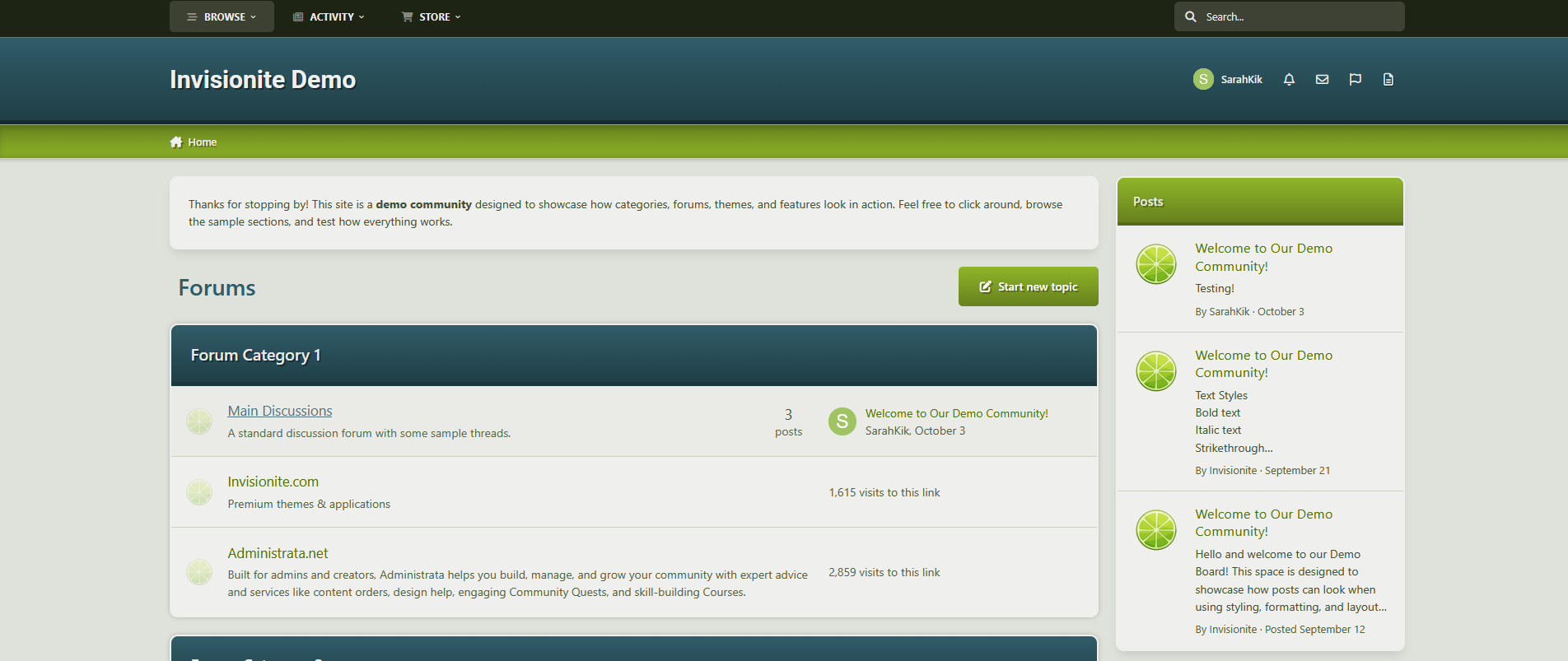
Step into the smooth depth of Tidefall, a navy-green theme for Invision Community v5 that balances vibrant clarity with grounded style. With a shifting header, soft blurs, and crisp lines, Tidefall brings a modern edge to any forum—quietly bold, intentionally clean.
Demo – Select Tidefall
✔️ Deep Navy & Emerald Palette – Designed for contrast and readability, with rich blues and a refined, confident green.
✔️ Modern Box Styling – Frosted headers, soft shadows, and vertical accent pills give your categories just the right touch of presence.
✔️ Animated Header Gradient – The primary header smoothly shifts tones, adding movement without noise.
✔️ Subtle Gradient Highlights – Forum bars and buttons use delicate fades to keep the interface lively and engaging.
✔️ Refined UI Elements – Custom scrollbars, clean navigation, and minimalist icons tie the whole theme together.
✔️ Light & Dark Included – Every detail adjusted for both modes, with consistent branding and polish.

Ideal for communities that want a sharp, distinctive style without being overbearing.
IPS5.0.0+
Cool. Confident. Crafted for Contrast.
Step into the smooth depth of Tidefall, a navy-green theme for Invision Community v5 that balances vibrant clarity with grounded style. With a shifting header, soft blurs, and crisp lines, Tidefall brings a modern edge to any forum—quietly bold, intentionally clean.
Demo – Select Tidefall
✔️ Deep Navy & Emerald Palette – Designed for contrast and readability, with rich blues and a refined, confident green.
✔️ Modern Box Styling – Frosted headers, soft shadows, and vertical accent pills give your categories just the right touch of presence.
✔️ Animated Header Gradient – The primary header smoothly shifts tones, adding movement without noise.
✔️ Subtle Gradient Highlights – Forum bars and buttons use delicate fades to keep the interface lively and engaging.
✔️ Refined UI Elements – Custom scrollbars, clean navigation, and minimalist icons tie the whole theme together.
✔️ Light & Dark Included – Every detail adjusted for both modes, with consistent branding and polish.

Ideal for communities that want a sharp, distinctive style without being overbearing.
Bright. Balanced. Calm by Design.
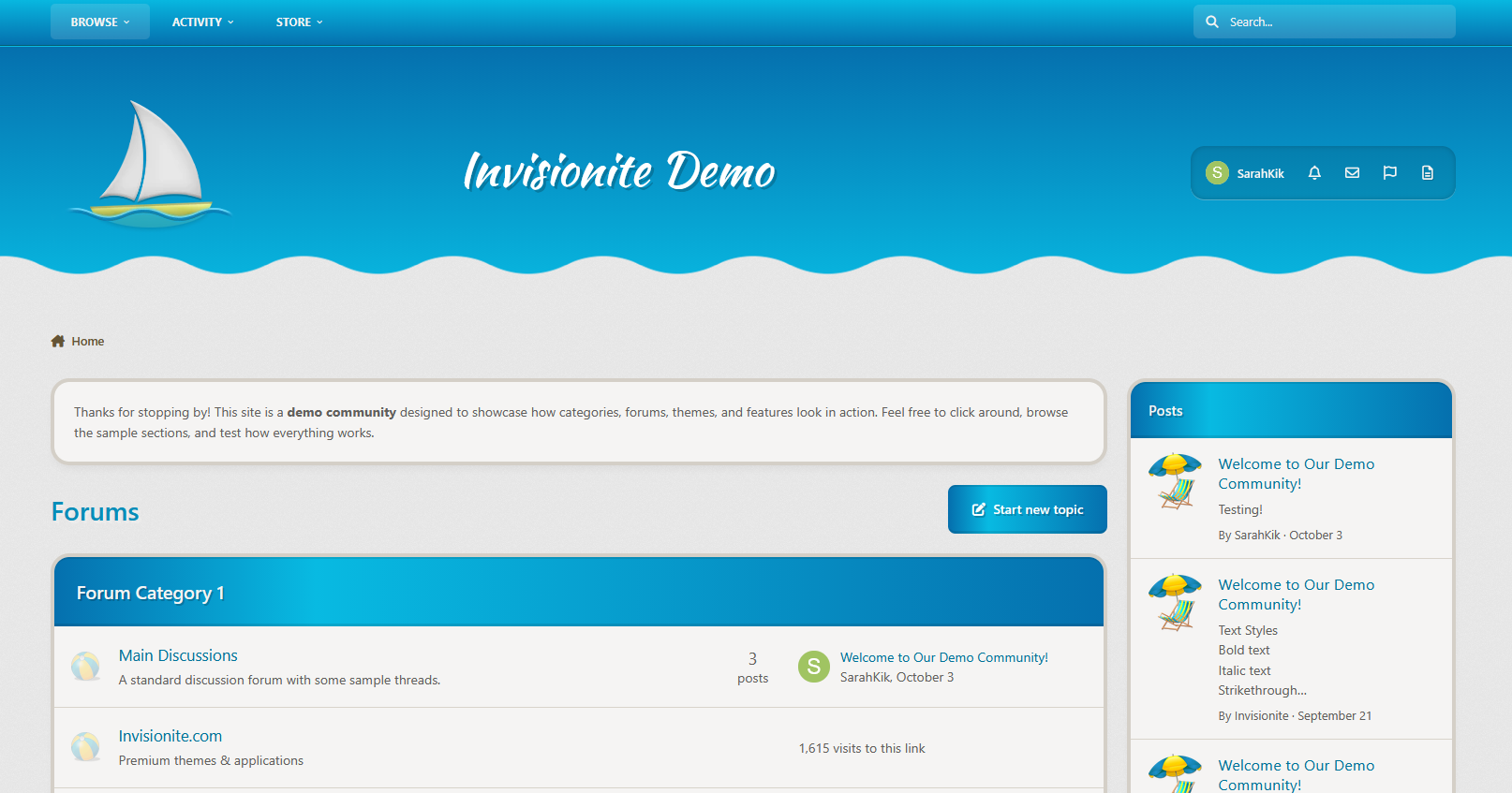
Step into the tranquil clarity of Azurea, a blue-forward theme for Invision Community v5 that blends soft gradients with subtle detail. Azurea is for communities that want to feel uplifting without being flashy — clean, calm, and carefully styled to get out of your way and let the content shine.
Demo – Select Azurea
✔️Cool Blue Palette – A spectrum of glacial and ocean blues, designed for calm readability with a fresh edge.
✔️ Subtle Gradient Elements – Category headers, progress bars, and nav panels fade naturally across tones for soft depth.
✔️ Fine Accent Lines – Highlights and trims in light blue or yellow add energy without breaking serenity.
✔️ Minimal Visual Noise – Rounded boxes, smooth hover effects, and intuitive navigation let your forum breathe.
✔️ Custom Scrollbars & Icons – Every UI detail—from scrollbars to buttons—feels like part of the same system.
✔️ Fully Responsive – Whether you're on desktop, tablet, or mobile, Azurea adapts beautifully.

Ideal for forums that want a lightweight, professional aesthetic without sacrificing warmth.
IPS5.0.0+
Bright. Balanced. Calm by Design.
Step into the tranquil clarity of Azurea, a blue-forward theme for Invision Community v5 that blends soft gradients with subtle detail. Azurea is for communities that want to feel uplifting without being flashy — clean, calm, and carefully styled to get out of your way and let the content shine.
Demo – Select Azurea
✔️Cool Blue Palette – A spectrum of glacial and ocean blues, designed for calm readability with a fresh edge.
✔️ Subtle Gradient Elements – Category headers, progress bars, and nav panels fade naturally across tones for soft depth.
✔️ Fine Accent Lines – Highlights and trims in light blue or yellow add energy without breaking serenity.
✔️ Minimal Visual Noise – Rounded boxes, smooth hover effects, and intuitive navigation let your forum breathe.
✔️ Custom Scrollbars & Icons – Every UI detail—from scrollbars to buttons—feels like part of the same system.
✔️ Fully Responsive – Whether you're on desktop, tablet, or mobile, Azurea adapts beautifully.

Ideal for forums that want a lightweight, professional aesthetic without sacrificing warmth.

Top Developers

Last reviews

Applications Directory

A complete and convenient directory of applications for Invision Community, with categorization and sorting options.

Ratings and feedback

Only verified and trusted reviews!

Add new Application

Any developer can add their application to this directory.

You need to create account

Configure browser push notifications

Chrome (Android)
  1. Tap the lock icon next to the address bar.
  2. Tap Permissions → Notifications.
  3. Adjust your preference.
Chrome (Desktop)
  1. Click the padlock icon in the address bar.
  2. Select Site settings.
  3. Find Notifications and adjust your preference.