Jump to content
View in the app

A better way to browse. Learn more.

Invision Marketplace

A full-screen app on your home screen with push notifications, badges and more.

To install this app on iOS and iPadOS
  1. Tap the Share icon in Safari
  2. Scroll the menu and tap Add to Home Screen.
  3. Tap Add in the top-right corner.
To install this app on Android
  1. Tap the 3-dot menu (⋮) in the top-right corner of the browser.
  2. Tap Add to Home screen or Install app.
  3. Confirm by tapping Install.

Everything you need for your community

We will be moving to a new server soon, some downtime is expected.

Everything you need for your community

 Loading...
 Loading...
 Loading...
Blog Entry Reading Time displays an estimated reading time on each entry, so members can instantly see how long it may take to read the full entry from start to finish. The estimate is calculated using the entry’s entire content (including comments) and is shown directly on the entry page.
Settings
This app includes flexible configuration options:
Cache Expiration Time – controls how long reading time values are cached.
Words Per Minute – adjust the reading speed used for the calculation.
Allowed Groups – choose which member groups can see the reading time.
Smart Cache Invalidation
To keep the estimate accurate, the cache is automatically rebuilt whenever the entry is updated:
A new comment has been added
A comment is deleted
A comment visibility state changes (hidden/unhidden)
This keeps reading time accurate at all times without slowing your community.
IPS5.0.0+
Blog Entry Reading Time displays an estimated reading time on each entry, so members can instantly see how long it may take to read the full entry from start to finish. The estimate is calculated using the entry’s entire content (including comments) and is shown directly on the entry page.
Settings
This app includes flexible configuration options:
Cache Expiration Time – controls how long reading time values are cached.
Words Per Minute – adjust the reading speed used for the calculation.
Allowed Groups – choose which member groups can see the reading time.
Smart Cache Invalidation
To keep the estimate accurate, the cache is automatically rebuilt whenever the entry is updated:
A new comment has been added
A comment is deleted
A comment visibility state changes (hidden/unhidden)
This keeps reading time accurate at all times without slowing your community.
This app restores a feature from IPS4 that was removed in IPS5: the centralized +Create menu. It automatically adds menu entries for all official IPS applications (except Courses), allowing users to create content across your community quickly.
Moderators:
Moderators with the proper permissions can also create announcements and alerts directly from the menu, streamlining site management and community engagement.
3rd-party developers:
Developers can use IPS5 extensions to add their own applications to the menu, making it fully customizable and future-ready.
IPS5.0.0+
This app restores a feature from IPS4 that was removed in IPS5: the centralized +Create menu. It automatically adds menu entries for all official IPS applications (except Courses), allowing users to create content across your community quickly.
Moderators:
Moderators with the proper permissions can also create announcements and alerts directly from the menu, streamlining site management and community engagement.
3rd-party developers:
Developers can use IPS5 extensions to add their own applications to the menu, making it fully customizable and future-ready.
While the old Mobile Menu plugin ensured that Invision Community 4 had a good menu on mobile devices in the first place, the new version is an extension of the menu already included in IC5.

IPS5.0.0+
While the old Mobile Menu plugin ensured that Invision Community 4 had a good menu on mobile devices in the first place, the new version is an extension of the menu already included in IC5.

Creating engaging topics has never been easier! This application uses AI to provide instant, relevant title suggestions based on what you write. Just type your post and get multiple relevant topic titles instantly, ready to use.
Key Features:
Powered by 3 AI Providers: Choose between OpenAI, Perplexity, or Gemini to generate concise and accurate topic titles.
Minimum Post Length: Ensure meaningful suggestions by setting a minimum number of characters for posts before titles are suggested.
Multiple Suggestions: Configure how many title suggestions the AI should provide for each post.
Instant Title Insertion: Click on any suggested title, and it will automatically populate the topic title field. No copy-paste needed!
Flexible Permissions: Control which forum sections and user groups can use the feature, making it easy to restrict suggestions to specific areas or members.
Seamless Integration: Works directly on the "Create New Topic" page without altering your forum workflow.
This app saves time, inspires better topic titles, and helps maintain high-quality posts across your community.
IPS5.0.0+
Creating engaging topics has never been easier! This application uses AI to provide instant, relevant title suggestions based on what you write. Just type your post and get multiple relevant topic titles instantly, ready to use.
Key Features:
Powered by 3 AI Providers: Choose between OpenAI, Perplexity, or Gemini to generate concise and accurate topic titles.
Minimum Post Length: Ensure meaningful suggestions by setting a minimum number of characters for posts before titles are suggested.
Multiple Suggestions: Configure how many title suggestions the AI should provide for each post.
Instant Title Insertion: Click on any suggested title, and it will automatically populate the topic title field. No copy-paste needed!
Flexible Permissions: Control which forum sections and user groups can use the feature, making it easy to restrict suggestions to specific areas or members.
Seamless Integration: Works directly on the "Create New Topic" page without altering your forum workflow.
This app saves time, inspires better topic titles, and helps maintain high-quality posts across your community.
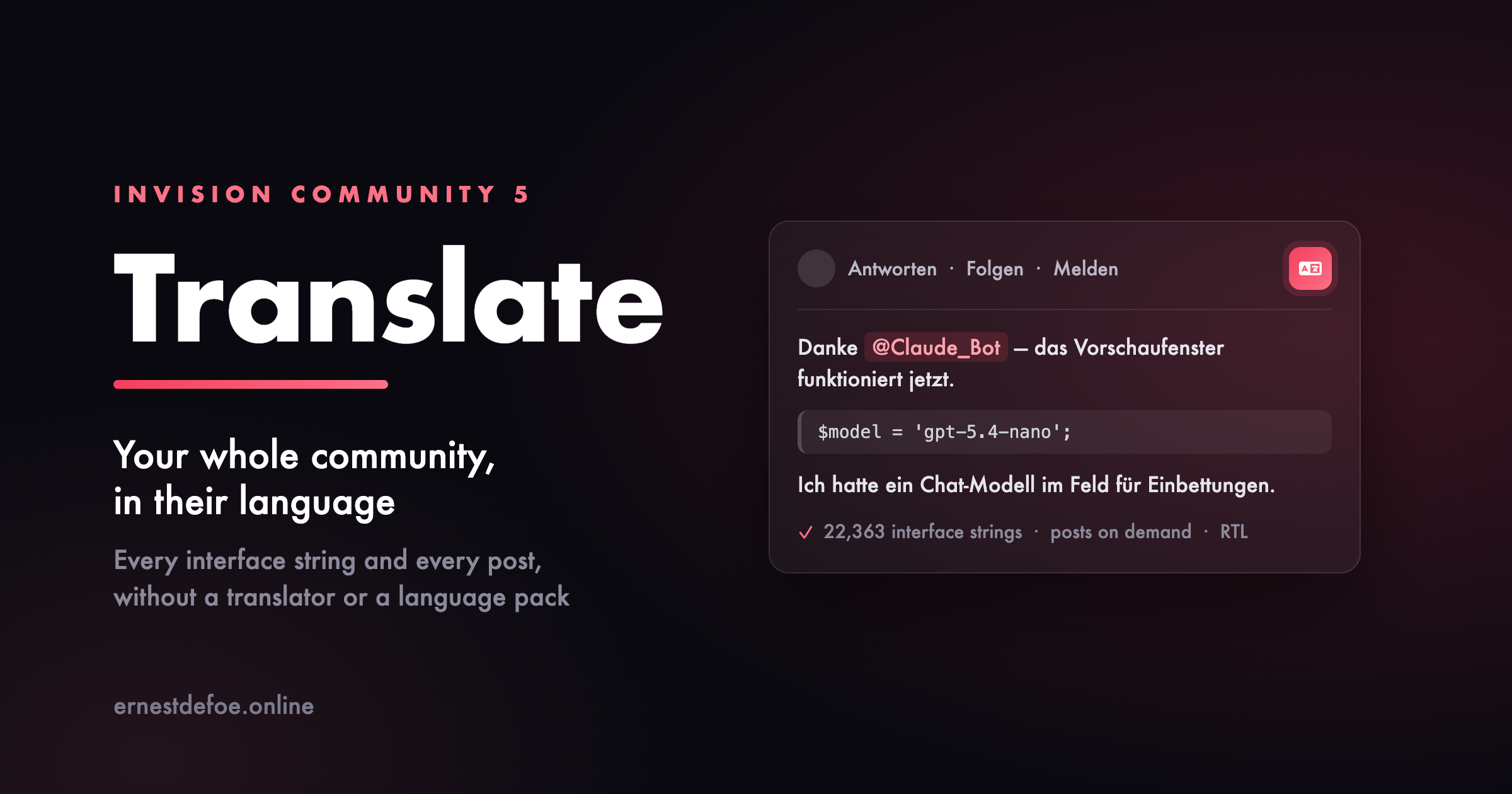
Translate Posts lets your community translate forum posts instantly with a single click. A simple language menu is added directly to posts, making multilingual discussions easy and seamless. The app supports multiple languages, including English, Spanish, Portuguese, French, German, Italian, Dutch, Swedish, Norwegian, Danish, Finnish, Polish, Czech, Hungarian, Romanian, and Greek. Actually, it can use any language available on Google Translate. For better performance, translations are cached, so once a post is translated, it loads instantly on future views. The cache is automatically refreshed when the original content is edited.
Settings:
Google Translate API key
Languages availables
Cache
Groups
Forums
IPS5.0.0+
Translate Posts lets your community translate forum posts instantly with a single click. A simple language menu is added directly to posts, making multilingual discussions easy and seamless. The app supports multiple languages, including English, Spanish, Portuguese, French, German, Italian, Dutch, Swedish, Norwegian, Danish, Finnish, Polish, Czech, Hungarian, Romanian, and Greek. Actually, it can use any language available on Google Translate. For better performance, translations are cached, so once a post is translated, it loads instantly on future views. The cache is automatically refreshed when the original content is edited.
Settings:
Google Translate API key
Languages availables
Cache
Groups
Forums
The Members Page is a lightweight and functional app for Invision Community 5 that restores the tab that displays a list of all users, missing in IPS5. Since ICS5 no longer has a "Members" page by default, this app re-introduces it in a modern, streamlined format.
This gives your community a clear, easily accessible member list that allows users to find each other faster, browse profiles, and build greater engagement with the service.
IPS5.0.x
The Members Page is a lightweight and functional app for Invision Community 5 that restores the tab that displays a list of all users, missing in IPS5. Since ICS5 no longer has a "Members" page by default, this app re-introduces it in a modern, streamlined format.
This gives your community a clear, easily accessible member list that allows users to find each other faster, browse profiles, and build greater engagement with the service.
A powerful extension for Invision Community's Commerce module that enables the sale of pre-generated license keys - keys that were created externally by a third-party system or software vendor.
The Problem It Solves
By default, Commerce generates random license keys at the moment of purchase, with no control over their format or value. This makes it impossible to sell keys generated by external systems - meaning software vendors, game developers, and SaaS providers are forced to use meaningless random strings instead of their own license infrastructure.
How It Works
You upload a pool of keys to the application (manually or via import), assign them to a specific Commerce product, and after a successful purchase the system automatically assigns the next available, unused key from the pool to the buyer. Each key is single-use - once assigned to an order, it can never be issued again.
Example Use Cases
Selling game activation keys (e.g. Steam keys or keys for your own game)
Distributing software licenses (e.g. plugins, themes, desktop applications)
Selling access codes to external platforms or SaaS services
Distributing coupon or access codes generated by an external loyalty system
Providing API keys or access tokens from third-party systems
 
Key Benefits
Full control over key format and value, automatic delivery upon purchase, protection against key reuse, and seamless integration with existing license generation infrastructure.
Upgrading from version 4.x to 5.x
Before proceeding, you must create a full database backup. This is mandatory - without it, you will not be able to verify data integrity after migration or restore your data if something goes wrong.
Follow these steps in order:
Install version 5.x - do NOT uninstall version 4.x first
Go to AdminCP and verify that your license keys are visible in the new version
Check that all data has been migrated correctly
Only after confirming the data is intact, uninstall the old 4.x version

The new version will automatically migrate your existing data during installation, but the above order of steps must be strictly followed.
Important: I am not responsible for any data loss resulting from incorrect upgrade procedures, skipping the database backup, or failure to follow the instructions above. You use this application and perform any upgrades at your own risk.
IPS5+
A powerful extension for Invision Community's Commerce module that enables the sale of pre-generated license keys - keys that were created externally by a third-party system or software vendor.
The Problem It Solves
By default, Commerce generates random license keys at the moment of purchase, with no control over their format or value. This makes it impossible to sell keys generated by external systems - meaning software vendors, game developers, and SaaS providers are forced to use meaningless random strings instead of their own license infrastructure.
How It Works
You upload a pool of keys to the application (manually or via import), assign them to a specific Commerce product, and after a successful purchase the system automatically assigns the next available, unused key from the pool to the buyer. Each key is single-use - once assigned to an order, it can never be issued again.
Example Use Cases
Selling game activation keys (e.g. Steam keys or keys for your own game)
Distributing software licenses (e.g. plugins, themes, desktop applications)
Selling access codes to external platforms or SaaS services
Distributing coupon or access codes generated by an external loyalty system
Providing API keys or access tokens from third-party systems
 
Key Benefits
Full control over key format and value, automatic delivery upon purchase, protection against key reuse, and seamless integration with existing license generation infrastructure.
Upgrading from version 4.x to 5.x
Before proceeding, you must create a full database backup. This is mandatory - without it, you will not be able to verify data integrity after migration or restore your data if something goes wrong.
Follow these steps in order:
Install version 5.x - do NOT uninstall version 4.x first
Go to AdminCP and verify that your license keys are visible in the new version
Check that all data has been migrated correctly
Only after confirming the data is intact, uninstall the old 4.x version

The new version will automatically migrate your existing data during installation, but the above order of steps must be strictly followed.
Important: I am not responsible for any data loss resulting from incorrect upgrade procedures, skipping the database backup, or failure to follow the instructions above. You use this application and perform any upgrades at your own risk.
Automated Newsletter
The most powerful newsletter & digest system for Invision Community 5
A powerful, fully block-based automated newsletter system for Invision Community 5 that lets administrators create structured, scheduled digests using native IPS email formatting.
Supports both official admin newsletters and customizable member-created digests, all delivered through IPS’s built-in email system without altering core templates. Simply create your newsletter by drag & dropping blocks inside the live preview. Even supporting 2-column design.

Core Features
Automated recurring newsletters - daily, weekly, monthly, or custom intervals
31 content block types pulling live data from major IPS applications
Visual drag-and-drop newsletter builder (admin & member)
Send-day scheduling - restrict sends to specific weekdays
Smart skip-empty - automatically skips sending when no new content exists
Two-column email layouts with side-by-side block support
Dark mode email preview inside the customizer
Configurable batch size per newsletter for server-friendly sending
31 Content Block Types
Pull live content dynamically from across your community:
Core IPS Applications
Forums + Specific forums selection
Blogs
Downloads
Gallery
Calendar
Commerce / Products
CMS / Pages Articles
Extended Content Support
Auctions
Contests
Classifieds
Marketplace
Links
Questions (Q&A)
Awards
Daily Prompts
Status Updates
Trending Content
Featured Content
Upcoming Events
Top Contributors
Recent Reviews
Active Clubs
Trackable Items (followed content)
Utility Blocks
Custom Text
Welcome Message
Call-to-Action Button
Sponsor / Advertiser Block
Image Block (with upload support)
Community Statistics Dashboard
Need compatibility with another 3rd-party app? I’m happy to add it. Feel free to post a feature request. Note: Depending on your installed 3rd party apps, your amount may be limited.
Member Personal Digests
Give your members control over what they receive.
Members can:
Create their own personalized newsletters
Use the drag-and-drop block customizer (front end)
Select content types
Configure limits and sorting
Choose frequency and send-days
Create up to 10 personal digests
Protected blocks ensure essential content always appears. These are automatically added when a member creates a new newsletter and cannot be disabled.
Each digest is fully independent with its own schedule.
Admin Newsletter Management
Powerful, intuitive control panel inside ACP:
Dashboard Overview
Total newsletters
Active newsletters
Subscriber counts
Send history
Per Newsletter Controls
Visual block customizer
Target by:
All members
Specific groups
Individual members
Force-subscribe option (mandatory newsletters)
One-click test email
Preview before send
Send now
Duplicate newsletter with all blocks
Import subscribers from targeting rules or IPS Bulk Email opt-ins
Logging
Complete send log
HTML content snapshots
Error tracking
Perfect For
Large communities
News & content-driven forums
Commerce-based sites
Membership communities
Private communities
Growing IPS sites that want structured communication
IPS5.0.0+
Automated Newsletter
The most powerful newsletter & digest system for Invision Community 5
A powerful, fully block-based automated newsletter system for Invision Community 5 that lets administrators create structured, scheduled digests using native IPS email formatting.
Supports both official admin newsletters and customizable member-created digests, all delivered through IPS’s built-in email system without altering core templates. Simply create your newsletter by drag & dropping blocks inside the live preview. Even supporting 2-column design.

Core Features
Automated recurring newsletters - daily, weekly, monthly, or custom intervals
31 content block types pulling live data from major IPS applications
Visual drag-and-drop newsletter builder (admin & member)
Send-day scheduling - restrict sends to specific weekdays
Smart skip-empty - automatically skips sending when no new content exists
Two-column email layouts with side-by-side block support
Dark mode email preview inside the customizer
Configurable batch size per newsletter for server-friendly sending
31 Content Block Types
Pull live content dynamically from across your community:
Core IPS Applications
Forums + Specific forums selection
Blogs
Downloads
Gallery
Calendar
Commerce / Products
CMS / Pages Articles
Extended Content Support
Auctions
Contests
Classifieds
Marketplace
Links
Questions (Q&A)
Awards
Daily Prompts
Status Updates
Trending Content
Featured Content
Upcoming Events
Top Contributors
Recent Reviews
Active Clubs
Trackable Items (followed content)
Utility Blocks
Custom Text
Welcome Message
Call-to-Action Button
Sponsor / Advertiser Block
Image Block (with upload support)
Community Statistics Dashboard
Need compatibility with another 3rd-party app? I’m happy to add it. Feel free to post a feature request. Note: Depending on your installed 3rd party apps, your amount may be limited.
Member Personal Digests
Give your members control over what they receive.
Members can:
Create their own personalized newsletters
Use the drag-and-drop block customizer (front end)
Select content types
Configure limits and sorting
Choose frequency and send-days
Create up to 10 personal digests
Protected blocks ensure essential content always appears. These are automatically added when a member creates a new newsletter and cannot be disabled.
Each digest is fully independent with its own schedule.
Admin Newsletter Management
Powerful, intuitive control panel inside ACP:
Dashboard Overview
Total newsletters
Active newsletters
Subscriber counts
Send history
Per Newsletter Controls
Visual block customizer
Target by:
All members
Specific groups
Individual members
Force-subscribe option (mandatory newsletters)
One-click test email
Preview before send
Send now
Duplicate newsletter with all blocks
Import subscribers from targeting rules or IPS Bulk Email opt-ins
Logging
Complete send log
HTML content snapshots
Error tracking
Perfect For
Large communities
News & content-driven forums
Commerce-based sites
Membership communities
Private communities
Growing IPS sites that want structured communication
Coupon Popup with Countdown is a lightweight yet powerful marketing tool designed for Invision Community 5. It allows you to display an eye‑catching, fully customizable popup that promotes a coupon code along with a live countdown timer. Perfect for flash sales, limited‑time offers, seasonal promotions, or any event where urgency drives conversions.
Key Features
Customizable Coupon Code Set any coupon text you want to promote. The popup includes a built‑in “Copy” button, making it effortless for users to grab the code.
Live Countdown Timer Create urgency with a real‑time countdown showing days, hours, minutes, and seconds. Ideal for time‑limited promotions.
Flexible Styling Options Customize the popup’s title, description, button text, and colors to match your theme or branding.
Mobile‑Friendly Design The popup is fully responsive and works seamlessly across all devices.
Lightweight & Optimized Minimal performance impact, clean JavaScript, and isolated logic to avoid conflicts with other scripts.
Use Cases
Flash sales
Holiday promotions
Limited‑time discounts
New product launches
Community events or milestones
Why This App?
This application helps you boost engagement and conversions by combining a visually appealing popup with the psychological power of countdown urgency. It’s simple to configure, easy to manage, and integrates smoothly with IPS5.
IPS5.0.x
Coupon Popup with Countdown is a lightweight yet powerful marketing tool designed for Invision Community 5. It allows you to display an eye‑catching, fully customizable popup that promotes a coupon code along with a live countdown timer. Perfect for flash sales, limited‑time offers, seasonal promotions, or any event where urgency drives conversions.
Key Features
Customizable Coupon Code Set any coupon text you want to promote. The popup includes a built‑in “Copy” button, making it effortless for users to grab the code.
Live Countdown Timer Create urgency with a real‑time countdown showing days, hours, minutes, and seconds. Ideal for time‑limited promotions.
Flexible Styling Options Customize the popup’s title, description, button text, and colors to match your theme or branding.
Mobile‑Friendly Design The popup is fully responsive and works seamlessly across all devices.
Lightweight & Optimized Minimal performance impact, clean JavaScript, and isolated logic to avoid conflicts with other scripts.
Use Cases
Flash sales
Holiday promotions
Limited‑time discounts
New product launches
Community events or milestones
Why This App?
This application helps you boost engagement and conversions by combining a visually appealing popup with the psychological power of countdown urgency. It’s simple to configure, easy to manage, and integrates smoothly with IPS5.
As with the original plugin, you can not only add as many links as you want to your footer in no time at all, but you can now also choose whether they should be displayed before or after the standard links. Optionally, the extra links can be disabled in the mobile view to save space.
The really big innovation in this application is that you can now add social profiles too. You can choose which icon to use for this, as well as the background color when you hover over it.
So you could say you get two add-ons for the price of one, if it weren't free anyway


IPS5.0.0+
As with the original plugin, you can not only add as many links as you want to your footer in no time at all, but you can now also choose whether they should be displayed before or after the standard links. Optionally, the extra links can be disabled in the mobile view to save space.
The really big innovation in this application is that you can now add social profiles too. You can choose which icon to use for this, as well as the background color when you hover over it.
So you could say you get two add-ons for the price of one, if it weren't free anyway


Back 2 Top is back! This is the new version of my old IC4 plugin from 2021, now for Invision Community 5.
Completely recoded as it is now an application, but with all the old features, such as...
Themechooser - You can now choose where the plugin is active, if themes already bring a similar feature.
Icon selection - Choose from 5 "standard icons", or use a Font Awesome icon of your choice.
Color, size, transparency and positioning are also freely selectable.
NEW FEATURE: You can now choose an alternative color for the Dark Mode yourself.
As always, 100% free and, of course, without visible brandings.


IPS5.0.0+
Back 2 Top is back! This is the new version of my old IC4 plugin from 2021, now for Invision Community 5.
Completely recoded as it is now an application, but with all the old features, such as...
Themechooser - You can now choose where the plugin is active, if themes already bring a similar feature.
Icon selection - Choose from 5 "standard icons", or use a Font Awesome icon of your choice.
Color, size, transparency and positioning are also freely selectable.
NEW FEATURE: You can now choose an alternative color for the Dark Mode yourself.
As always, 100% free and, of course, without visible brandings.


Aqualis is the former Invisionite theme, now fully released for free and available. Fair warning: this theme does not play nice with a lot of navigation items.
Demo
Built with a modern ocean-inspired gradient, soft glass navigation, and a clean professional layout, this theme delivers a premium look without being overdesigned.

Features
Animated gradient hero header (animation can be simply disabled)
Glass-style navigation bar
Dark & light compatible design
Styled widgets & forum categories
Custom footer section (easily customizable)
Clean typography and spacing
Fully responsive
Design Style
Aqualis blends deep navy tones with aqua highlights and smooth wave accents.
It’s ideal for:
Community forums
Tech projects
Creative platforms
Premium product showcases
IPS5.0.0+
Aqualis is the former Invisionite theme, now fully released for free and available. Fair warning: this theme does not play nice with a lot of navigation items.
Demo
Built with a modern ocean-inspired gradient, soft glass navigation, and a clean professional layout, this theme delivers a premium look without being overdesigned.

Features
Animated gradient hero header (animation can be simply disabled)
Glass-style navigation bar
Dark & light compatible design
Styled widgets & forum categories
Custom footer section (easily customizable)
Clean typography and spacing
Fully responsive
Design Style
Aqualis blends deep navy tones with aqua highlights and smooth wave accents.
It’s ideal for:
Community forums
Tech projects
Creative platforms
Premium product showcases
See our demo here
PayWall Topics brings real monetization into Invision Community v5.
Members can sell locked premium content directly inside forum topics, fully integrated with IPS Commerce.
Sell guides, tutorials, exclusive insights, premium discussions, downloads, and private resources without sending users anywhere else.
Give your members the ability to earn and your platform the ability to scale.
Core Monetization Features
PayWall Topic Creation
When permitted, members can create topics with locked premium content using:
Rich text editor
Images, videos, etc.
Attachments
Custom pricing per topic
Premium links
The premium block appears directly inside the topic after the first post.
IPS Commerce Integration
Full checkout flow powered by IPS Nexus invoices with proper gateway support.
One-Time Purchase Model
Pay once
Permanent access
No subscriptions
No renewals
Simple and clean.
Seller Account Credit + Commission
Revenue is automatically credited to the topic creator’s Commerce account balance.
You set the platform commission from 0–100%.
The system automatically calculates the split and credits the seller’s net amount.
Transparent. Automated. Built for real marketplaces.

Access Control
Granular permission system designed for production communities.
Forum-Based Gating
Select exactly which forums allow PayWall topics.
Group Permissions
Separate controls for:
Who can create paywalls
Who can purchase
Who can bypass and view free

Frontend Experience
Clean, modern, and fully integrated into the topic view.
PayWall Block
A purple-bordered premium content block injected after the first post, featuring:
Lock icon
Price display
Purchase button
Custom lock message
It feels native, not bolted on.
Unlocked View
Purchased or bypassed users see the full rich-text premium content inline, exactly where it belongs.
Crown Badge
PayWall topics display a crown badge in topic listings for instant visibility.
Custom Lock Message
Admins can configure the lock message using a rich text editor. Add formatting, links, persuasion copy, anything you need.
Guest Handling
Guests see a clear “Log in to Purchase” button instead of checkout.

Member Dashboard
Members and sellers get a dedicated PayWall control center.
My Purchases
Members can see:
Purchased topics
Status
Price
Date
Browse Topics Directory
Lists all available PayWall topics with clear status badges:
Purchased
Access Granted
Available
My PayWall Topics
Sellers can view:
Their topics
Buyer count badges
Who bought their topics
Earnings
Buyers List
Sellers and admins can click the buyer badge to see exactly who purchased each topic.
Admins also see buyer counts across all topics.

Standalone Directory
PayWall Topics Directory
A dedicated /paywall/ page listing all premium topics with:
Forum name
Price
Purchase status
Monetization becomes discoverable instead of hidden inside random threads.

Notifications
Built-in notification system keeps everyone informed.
Buyer Notification
Sent instantly after successful purchase.
Seller Notification
Sent to topic creators when someone purchases their content.
Members can enable or disable PayWall notifications in their notification settings.

Admin Control Panel
Full IPS-native ACP experience.
General Settings
Forum selection
Group permissions for create, purchase, and bypass
Commission Settings
Set site commission percentage
Display Settings
Custom PayWall lock message editor
Manage Purchases
Complete purchase table including:
Member
Topic
Price
Date
Invoice ID
Active status


Perfect For
Premium guide communities
Trading and investment forums
Business and entrepreneurship boards
Education platforms
Creator-driven ecosystems
Digital resource hubs
Knowledge marketplaces
If your community produces value, PayWall Topics turns that value into revenue without changing how your forum works.
This is not a cosmetic add-on.
It adds a full creator monetization layer to Invision Community.
IPS5.0.0+
See our demo here
PayWall Topics brings real monetization into Invision Community v5.
Members can sell locked premium content directly inside forum topics, fully integrated with IPS Commerce.
Sell guides, tutorials, exclusive insights, premium discussions, downloads, and private resources without sending users anywhere else.
Give your members the ability to earn and your platform the ability to scale.
Core Monetization Features
PayWall Topic Creation
When permitted, members can create topics with locked premium content using:
Rich text editor
Images, videos, etc.
Attachments
Custom pricing per topic
Premium links
The premium block appears directly inside the topic after the first post.
IPS Commerce Integration
Full checkout flow powered by IPS Nexus invoices with proper gateway support.
One-Time Purchase Model
Pay once
Permanent access
No subscriptions
No renewals
Simple and clean.
Seller Account Credit + Commission
Revenue is automatically credited to the topic creator’s Commerce account balance.
You set the platform commission from 0–100%.
The system automatically calculates the split and credits the seller’s net amount.
Transparent. Automated. Built for real marketplaces.

Access Control
Granular permission system designed for production communities.
Forum-Based Gating
Select exactly which forums allow PayWall topics.
Group Permissions
Separate controls for:
Who can create paywalls
Who can purchase
Who can bypass and view free

Frontend Experience
Clean, modern, and fully integrated into the topic view.
PayWall Block
A purple-bordered premium content block injected after the first post, featuring:
Lock icon
Price display
Purchase button
Custom lock message
It feels native, not bolted on.
Unlocked View
Purchased or bypassed users see the full rich-text premium content inline, exactly where it belongs.
Crown Badge
PayWall topics display a crown badge in topic listings for instant visibility.
Custom Lock Message
Admins can configure the lock message using a rich text editor. Add formatting, links, persuasion copy, anything you need.
Guest Handling
Guests see a clear “Log in to Purchase” button instead of checkout.

Member Dashboard
Members and sellers get a dedicated PayWall control center.
My Purchases
Members can see:
Purchased topics
Status
Price
Date
Browse Topics Directory
Lists all available PayWall topics with clear status badges:
Purchased
Access Granted
Available
My PayWall Topics
Sellers can view:
Their topics
Buyer count badges
Who bought their topics
Earnings
Buyers List
Sellers and admins can click the buyer badge to see exactly who purchased each topic.
Admins also see buyer counts across all topics.

Standalone Directory
PayWall Topics Directory
A dedicated /paywall/ page listing all premium topics with:
Forum name
Price
Purchase status
Monetization becomes discoverable instead of hidden inside random threads.

Notifications
Built-in notification system keeps everyone informed.
Buyer Notification
Sent instantly after successful purchase.
Seller Notification
Sent to topic creators when someone purchases their content.
Members can enable or disable PayWall notifications in their notification settings.

Admin Control Panel
Full IPS-native ACP experience.
General Settings
Forum selection
Group permissions for create, purchase, and bypass
Commission Settings
Set site commission percentage
Display Settings
Custom PayWall lock message editor
Manage Purchases
Complete purchase table including:
Member
Topic
Price
Date
Invoice ID
Active status


Perfect For
Premium guide communities
Trading and investment forums
Business and entrepreneurship boards
Education platforms
Creator-driven ecosystems
Digital resource hubs
Knowledge marketplaces
If your community produces value, PayWall Topics turns that value into revenue without changing how your forum works.
This is not a cosmetic add-on.
It adds a full creator monetization layer to Invision Community.
Monthly Awards lets you run structured, recurring awards like Member of the Month, Site of the Month, or Post/Topic of the Month without spreadsheets, manual threads, or constant admin work.
Everything runs on a clear cycle. Submissions open, voting starts, winners are selected, rewards are handed out, and the next month is ready to go.
If you want recognition, engagement, and friendly competition that actually sticks, this app does the heavy lifting for you.
A demo of this can be found here on Administrata
Why this app exists
Communities thrive when people feel noticed.
Monthly Awards gives you a simple but powerful way to:
highlight great members
reward quality content
encourage participation
create recurring events people look forward to
It works just as well for public contests as it does for internal staff or team recognition.
Award programs that fit your community
Create as many award programs as you want, each with its own purpose and style.
You can run:
Member of the Month to reward helpful or active members
Content of the Month for posts, images, downloads, or any community content
Site of the Month to showcase member websites or projects
Each program has its own description, images, rules page, and schedule, so everything is clear and easy to follow.
Featured programs can be highlighted on the awards homepage to draw attention.
Automatic monthly cycles
Every award runs on a repeating monthly cycle with clear phases:
pending
submission
voting
completed
Phases move automatically based on dates, so you are not babysitting the system every month. You can still step in manually if needed.
Each cycle can have its own theme, prizes, and statistics, making every month feel fresh instead of copy-paste.
Simple submissions for members
Members can submit entries in ways that make sense for each award:
nominate another member
submit their own website or project
link to forum posts, gallery images, or other content
Entries support images and rich descriptions, so submissions feel polished instead of rushed.
Members can manage their own entries, and nominated users are notified so nothing goes unnoticed.
Voting that feels fair and fun
Voting is designed to encourage participation without chaos:
vote for one entry or multiple entries
optional anonymous voting
real-time vote counts
notifications when entries receive votes
This makes feature contests, content awards, and popularity-based recognition feel transparent and engaging.
Clear winners and permanent history
Winners can be selected automatically by vote count or manually if needed.
You can award:
first, second, and third place
multiple winners
tied positions
Every win is saved permanently. Past winners are never lost, making it easy to build a real history instead of resetting every month.
Rewards that actually matter
Winning an award should feel good.
Winners can receive:
badges
reputation points
group promotions
store credits
custom or digital prizes
Rewards are handed out automatically when winners are chosen, so there is no follow-up work or forgotten promises.
Prize pools for bigger contests
For giveaways and larger events, you can build prize pools with:
multiple prize types
limited inventory tracking
position-based prizes
random weighted selection
This is perfect for sponsor giveaways, digital keys, or seasonal competitions.
Announcements and notifications
Members stay informed without needing to hunt for updates:
new cycle started
submissions open
voting open
reminders before deadlines
winner announcements
prizes won
Announcements can also be posted automatically to your forums, keeping activity visible and driving traffic.
Leaderboards and recognition
Recognition does not stop at one win.
The app includes:
yearly leaderboards
per-program rankings
total wins and votes received
historical browsing of past years
This turns awards into long-term motivation instead of one-off events.
Profile integration
Members get a dedicated awards area on their profile showing:
awards won
prizes received
win and vote statistics
earned badges
It becomes a visible status symbol, not just a forgotten badge.
Widgets for visibility
Show awards across your community with widgets like:
active awards
awards currently in voting
recent winners
hall of fame
featured program
This keeps awards visible instead of hidden in a menu.
IPS5.0.0+
Monthly Awards lets you run structured, recurring awards like Member of the Month, Site of the Month, or Post/Topic of the Month without spreadsheets, manual threads, or constant admin work.
Everything runs on a clear cycle. Submissions open, voting starts, winners are selected, rewards are handed out, and the next month is ready to go.
If you want recognition, engagement, and friendly competition that actually sticks, this app does the heavy lifting for you.
A demo of this can be found here on Administrata
Why this app exists
Communities thrive when people feel noticed.
Monthly Awards gives you a simple but powerful way to:
highlight great members
reward quality content
encourage participation
create recurring events people look forward to
It works just as well for public contests as it does for internal staff or team recognition.
Award programs that fit your community
Create as many award programs as you want, each with its own purpose and style.
You can run:
Member of the Month to reward helpful or active members
Content of the Month for posts, images, downloads, or any community content
Site of the Month to showcase member websites or projects
Each program has its own description, images, rules page, and schedule, so everything is clear and easy to follow.
Featured programs can be highlighted on the awards homepage to draw attention.
Automatic monthly cycles
Every award runs on a repeating monthly cycle with clear phases:
pending
submission
voting
completed
Phases move automatically based on dates, so you are not babysitting the system every month. You can still step in manually if needed.
Each cycle can have its own theme, prizes, and statistics, making every month feel fresh instead of copy-paste.
Simple submissions for members
Members can submit entries in ways that make sense for each award:
nominate another member
submit their own website or project
link to forum posts, gallery images, or other content
Entries support images and rich descriptions, so submissions feel polished instead of rushed.
Members can manage their own entries, and nominated users are notified so nothing goes unnoticed.
Voting that feels fair and fun
Voting is designed to encourage participation without chaos:
vote for one entry or multiple entries
optional anonymous voting
real-time vote counts
notifications when entries receive votes
This makes feature contests, content awards, and popularity-based recognition feel transparent and engaging.
Clear winners and permanent history
Winners can be selected automatically by vote count or manually if needed.
You can award:
first, second, and third place
multiple winners
tied positions
Every win is saved permanently. Past winners are never lost, making it easy to build a real history instead of resetting every month.
Rewards that actually matter
Winning an award should feel good.
Winners can receive:
badges
reputation points
group promotions
store credits
custom or digital prizes
Rewards are handed out automatically when winners are chosen, so there is no follow-up work or forgotten promises.
Prize pools for bigger contests
For giveaways and larger events, you can build prize pools with:
multiple prize types
limited inventory tracking
position-based prizes
random weighted selection
This is perfect for sponsor giveaways, digital keys, or seasonal competitions.
Announcements and notifications
Members stay informed without needing to hunt for updates:
new cycle started
submissions open
voting open
reminders before deadlines
winner announcements
prizes won
Announcements can also be posted automatically to your forums, keeping activity visible and driving traffic.
Leaderboards and recognition
Recognition does not stop at one win.
The app includes:
yearly leaderboards
per-program rankings
total wins and votes received
historical browsing of past years
This turns awards into long-term motivation instead of one-off events.
Profile integration
Members get a dedicated awards area on their profile showing:
awards won
prizes received
win and vote statistics
earned badges
It becomes a visible status symbol, not just a forgotten badge.
Widgets for visibility
Show awards across your community with widgets like:
active awards
awards currently in voting
recent winners
hall of fame
featured program
This keeps awards visible instead of hidden in a menu.
Software Marketplace is a powerful storefront application for Invision Community Suite v5 that allows you to sell, distribute, manage, and monetize software, themes, plugins, and digital resources - complete with Commerce integration, reviews, creator dashboards, commissions, and deep IPS framework integration.
A demo can be found here: https://administrata.net/software/
Storefront & Discovery
Configurable homepage sections: Featured, Latest, Most Popular, Top Rated, Recently Updated
Unlimited nested categories with drag-and-drop ordering
Responsive CSS Grid layout (2–6 columns configurable)
Screenshot cycling on hover (adjustable speed)
Advanced sorting (date, updated, downloads, rating, price, name)
SEO-friendly URLs
IPS Search + Sitemap integration
Full pagination everywhere
Your marketplace looks modern, fast, and built-in.
Software Item Pages
Each item includes:
Full detail page with screenshots, description, version info
Interactive gallery
Complete version history with changelogs
Multi-file releases (up to 20 files per version)
“More from this Creator” auto section
Admin-defined custom fields (with purchasers-only visibility option)
Optional install URL requirement
Automatic forum topic creation (per category)
Creator TOS agreement dialog before purchase
Commerce & Monetization
Deep integration with Invision Community and its Commerce system.
Free & paid items
IPS Commerce (Nexus) invoice flow
Refund callbacks auto-deactivate licenses
Optional recurring renewals (1–60 months)
Platform commission system (0–100%, 2 decimals)
Automatic creator net calculation
External purchase links supported
You control the commission. Creators see transparent earnings. Everything is automated.
Reviews & Social Features
1–5 star purchaser-only reviews
Author replies
Up/down voting
Review editing & moderation
Report Center integration
Follow items or categories
Version update subscriptions
9 built-in notification types
Creator Dashboard
Creators get a professional control center:
Item management panel
Sales overview (gross, commission, net)
Sales history filtering
TOS template manager
Resource Teams (collaborator permissions)
Buyer Dashboard (My Licenses)
Buyers can:
View purchase history
Manage install URLs
Download latest or older versions
Access gated files securely
Powerful Admin Control Panel
Full IPS-native ACP experience:
Manage items (approval, feature, author change, delete)
Full Node-based category system
Advanced custom fields (IPS CustomField-powered)
Commission reporting with breakdown tables
Downloads importer
Background tasks (review reminders, trending algorithm snapshots)
Cross-app bridges (Support Tickets, Trackable)
Built-in Widgets (6)
Category Navigation
Latest Reviews
Latest Updates
Trending Resources (velocity-based algorithm)
Top Resources
Resource Stats
Each widget supports configurable limits (1–25 items).
Migration Tool Included
Import directly from IPS Downloads:
Files (multi-file supported)
Screenshots
Version history
Reviews
Comments are deliberately not a feature in Software Marketplace. Instead the comments will be imported to the forum topic
Nexus purchases
No manual rebuilding required. You don't lose ANY data.
Perfect For
Theme marketplaces
Plugin marketplaces
Code distribution hubs
Community-driven developer ecosystems
Premium add-on stores
Private licensing portals
IPS5.0.0+
Software Marketplace is a powerful storefront application for Invision Community Suite v5 that allows you to sell, distribute, manage, and monetize software, themes, plugins, and digital resources - complete with Commerce integration, reviews, creator dashboards, commissions, and deep IPS framework integration.
A demo can be found here: https://administrata.net/software/
Storefront & Discovery
Configurable homepage sections: Featured, Latest, Most Popular, Top Rated, Recently Updated
Unlimited nested categories with drag-and-drop ordering
Responsive CSS Grid layout (2–6 columns configurable)
Screenshot cycling on hover (adjustable speed)
Advanced sorting (date, updated, downloads, rating, price, name)
SEO-friendly URLs
IPS Search + Sitemap integration
Full pagination everywhere
Your marketplace looks modern, fast, and built-in.
Software Item Pages
Each item includes:
Full detail page with screenshots, description, version info
Interactive gallery
Complete version history with changelogs
Multi-file releases (up to 20 files per version)
“More from this Creator” auto section
Admin-defined custom fields (with purchasers-only visibility option)
Optional install URL requirement
Automatic forum topic creation (per category)
Creator TOS agreement dialog before purchase
Commerce & Monetization
Deep integration with Invision Community and its Commerce system.
Free & paid items
IPS Commerce (Nexus) invoice flow
Refund callbacks auto-deactivate licenses
Optional recurring renewals (1–60 months)
Platform commission system (0–100%, 2 decimals)
Automatic creator net calculation
External purchase links supported
You control the commission. Creators see transparent earnings. Everything is automated.
Reviews & Social Features
1–5 star purchaser-only reviews
Author replies
Up/down voting
Review editing & moderation
Report Center integration
Follow items or categories
Version update subscriptions
9 built-in notification types
Creator Dashboard
Creators get a professional control center:
Item management panel
Sales overview (gross, commission, net)
Sales history filtering
TOS template manager
Resource Teams (collaborator permissions)
Buyer Dashboard (My Licenses)
Buyers can:
View purchase history
Manage install URLs
Download latest or older versions
Access gated files securely
Powerful Admin Control Panel
Full IPS-native ACP experience:
Manage items (approval, feature, author change, delete)
Full Node-based category system
Advanced custom fields (IPS CustomField-powered)
Commission reporting with breakdown tables
Downloads importer
Background tasks (review reminders, trending algorithm snapshots)
Cross-app bridges (Support Tickets, Trackable)
Built-in Widgets (6)
Category Navigation
Latest Reviews
Latest Updates
Trending Resources (velocity-based algorithm)
Top Resources
Resource Stats
Each widget supports configurable limits (1–25 items).
Migration Tool Included
Import directly from IPS Downloads:
Files (multi-file supported)
Screenshots
Version history
Reviews
Comments are deliberately not a feature in Software Marketplace. Instead the comments will be imported to the forum topic
Nexus purchases
No manual rebuilding required. You don't lose ANY data.
Perfect For
Theme marketplaces
Plugin marketplaces
Code distribution hubs
Community-driven developer ecosystems
Premium add-on stores
Private licensing portals

Top Developers

Last reviews

Applications Directory

A complete and convenient directory of applications for Invision Community, with categorization and sorting options.

Ratings and feedback

Only verified and trusted reviews!

Add new Application

Any developer can add their application to this directory.

You need to create account

Configure browser push notifications

Chrome (Android)
  1. Tap the lock icon next to the address bar.
  2. Tap Permissions → Notifications.
  3. Adjust your preference.
Chrome (Desktop)
  1. Click the padlock icon in the address bar.
  2. Select Site settings.
  3. Find Notifications and adjust your preference.