Jump to content
View in the app

A better way to browse. Learn more.

Invision Marketplace

A full-screen app on your home screen with push notifications, badges and more.

To install this app on iOS and iPadOS
  1. Tap the Share icon in Safari
  2. Scroll the menu and tap Add to Home Screen.
  3. Tap Add in the top-right corner.
To install this app on Android
  1. Tap the 3-dot menu (⋮) in the top-right corner of the browser.
  2. Tap Add to Home screen or Install app.
  3. Confirm by tapping Install.

Everything you need for your community

We will be moving to a new server soon, some downtime is expected.

Everything you need for your community

 Loading...
 Loading...
 Loading...
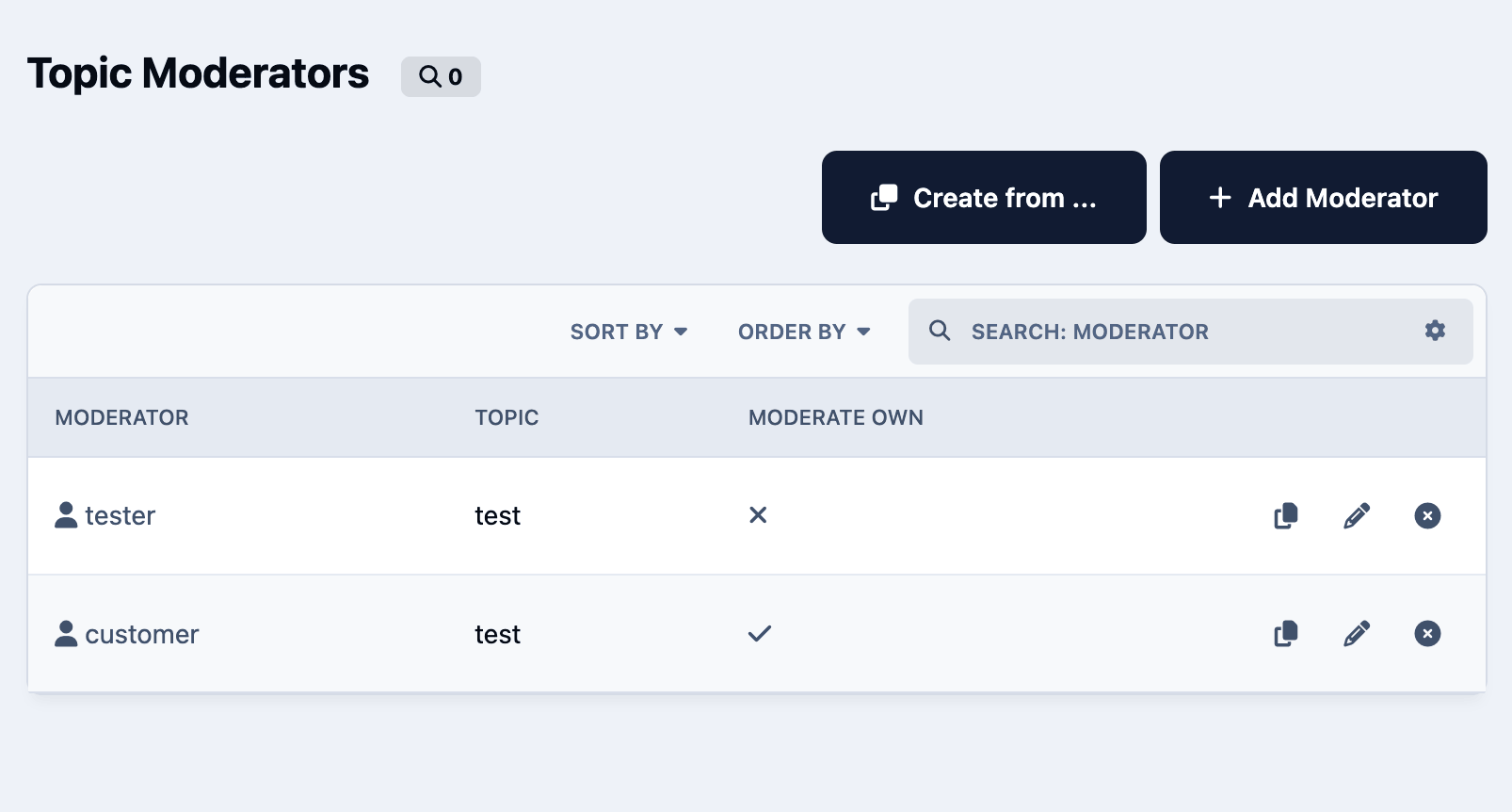
This application allows topic authors to run specific topic-saved actions that the administrator permits. Public saved actions will only be visible to the topic author if they do not have moderator permissions to run standard saved actions.
Requirement:
Forums app.
IPS5.0.0+
This application allows topic authors to run specific topic-saved actions that the administrator permits. Public saved actions will only be visible to the topic author if they do not have moderator permissions to run standard saved actions.
Requirement:
Forums app.
This resource uses The Movie Database API to grab data from Movies/TV Shows to your site.
All you have to do is type a word from the movie/TV show title and then a list of matches will show up. From now on, with just a click, you will have the submission form:
Title
Subtitle, if available
Description
Poster
Status
Release Date (for Movies)
Genres
Language
Homepage
IMDB link
Budget
Revenue
Running Time for movies or Episode Time for TV shows
Season (for TV Show)
Number of episodes (for TV Show)
Tabs:
You will also have tabs to display:
Cast (with a link to a popup listing all their data)
Crew (with a link to a popup listing all their data)
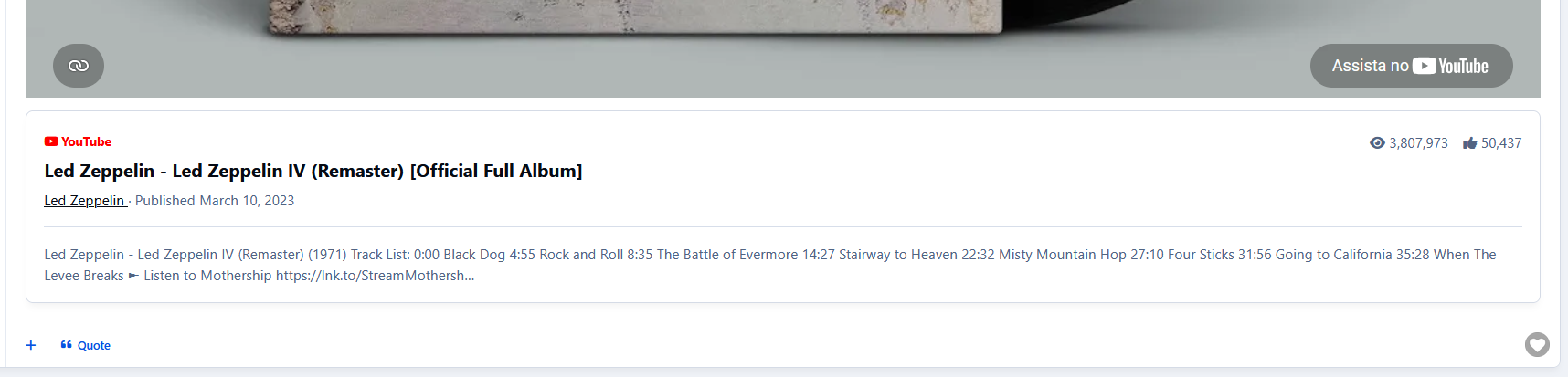
Trailers (with videos from Youtube)
Latest Reviews on TMDB
Similar Movies or Similar TV Shows (will list all similar movies/TV shows and again with a click, you can have them in your database)
All the tabs, except Information (the main one with the movie/TV show description), can be disabled via setting.
TMDB API Key:
You can get your free API Key on the TMDB site: https://www.themoviedb.org/settings/api
Multi-Language:
TMDB supports 62 languages. You just have to choose the one in the ACP setting.
Other features:
Fully integrated into the framework: Rest API, categories, extra fields, notifications, search, tags, follow, reactions, promote, etc.
Settings:
Settings to control the app behavior in several places/situations.
IPS5.0.4+
This resource uses The Movie Database API to grab data from Movies/TV Shows to your site.
All you have to do is type a word from the movie/TV show title and then a list of matches will show up. From now on, with just a click, you will have the submission form:
Title
Subtitle, if available
Description
Poster
Status
Release Date (for Movies)
Genres
Language
Homepage
IMDB link
Budget
Revenue
Running Time for movies or Episode Time for TV shows
Season (for TV Show)
Number of episodes (for TV Show)
Tabs:
You will also have tabs to display:
Cast (with a link to a popup listing all their data)
Crew (with a link to a popup listing all their data)
Trailers (with videos from Youtube)
Latest Reviews on TMDB
Similar Movies or Similar TV Shows (will list all similar movies/TV shows and again with a click, you can have them in your database)
All the tabs, except Information (the main one with the movie/TV show description), can be disabled via setting.
TMDB API Key:
You can get your free API Key on the TMDB site: https://www.themoviedb.org/settings/api
Multi-Language:
TMDB supports 62 languages. You just have to choose the one in the ACP setting.
Other features:
Fully integrated into the framework: Rest API, categories, extra fields, notifications, search, tags, follow, reactions, promote, etc.
Settings:
Settings to control the app behavior in several places/situations.
This resource uses the IGDB API to grab data from games for your site.
All you have to do is type a word from the game title, and then a list of matches will show up. From now on, with just a click, you will have in the submission form:
Title
Storyline, if available
Description
Status
Genres
Themes
Websites
Modes
Multiplayer modes
Platforms
Player perspectives
Videos
Similar games
Tabs:
You will also have tabs to display:
Game Information
Screenshots
Videos
Similar Games
Settings allow you to disable all the tabs except Information (the main one with the game description).
IGDB API Key:
To use the IGDB API, you must have a Twitch Account. The IGDB.com API is free for non-commercial usage under the terms of the Twitch Developer Service Agreement.
Sign up with Twitch for a free account
Ensure you have Two Factor Authentication enabled
Register your application
Manage your newly created application
Generate a Client Secret by pressing [New Secret]
Take note of the Client ID and Client Secret
Enter the Client ID and Client Secret in the app settings on Admin CP
Other features:
Fully integrated into the framework: Rest API, categories, extra fields, notifications, search, tags, follow, reactions, promote, etc.
Settings:
Settings to control the app's behavior in several places/situations.
IPS5.0.4+
This resource uses the IGDB API to grab data from games for your site.
All you have to do is type a word from the game title, and then a list of matches will show up. From now on, with just a click, you will have in the submission form:
Title
Storyline, if available
Description
Status
Genres
Themes
Websites
Modes
Multiplayer modes
Platforms
Player perspectives
Videos
Similar games
Tabs:
You will also have tabs to display:
Game Information
Screenshots
Videos
Similar Games
Settings allow you to disable all the tabs except Information (the main one with the game description).
IGDB API Key:
To use the IGDB API, you must have a Twitch Account. The IGDB.com API is free for non-commercial usage under the terms of the Twitch Developer Service Agreement.
Sign up with Twitch for a free account
Ensure you have Two Factor Authentication enabled
Register your application
Manage your newly created application
Generate a Client Secret by pressing [New Secret]
Take note of the Client ID and Client Secret
Enter the Client ID and Client Secret in the app settings on Admin CP
Other features:
Fully integrated into the framework: Rest API, categories, extra fields, notifications, search, tags, follow, reactions, promote, etc.
Settings:
Settings to control the app's behavior in several places/situations.
This resource uses the Spotify API to grab data from artists for your site.
IMPORTANT NOTICE: Please do not purchase this application if you do not agree with the terms. All sales are final and non-refundable.
Spotify does not provide artist biographies, monthly listeners, photos, and playlists in their api endpoints anymore.
You will have to get the biography elsewhere (Google, Wikipedia, official site, etc.) and paste it into the editor.
Photos and playlists are manually added now.

Music integrates with Perplexity AI to automatically retrieve the artist’s biography when creating a record
All you have to do is type a word from the artist's name, and then a list of matches will appear. From now on, with just a click, you will have to submit the form:
Name
Main Photo
Global Chart Position
Followers
Popularity
Genres
Spotify link
Social Media links (X, Facebook, and Instagram) if available
Tabs:
You will also have tabs to display:
Photos from the artist in a grouped lightbox
Albums (linked to Spotify)
Playlists (linked to Spotify)
Popular Releases (linked to Spotify)
Related Artists
The tabs ALBUMS, POPULAR RELEASES, and RELATED ARTISTS are Ajax-loaded and represent the artist's current state on Spotify.
Other features:
Fully integrated into the framework: Rest API, categories, extra fields, notifications, search, tags, follow, reactions, promote, etc.
Settings:
Settings to control the app's behavior in several places/situations.
IPS5.0.4+
This resource uses the Spotify API to grab data from artists for your site.
IMPORTANT NOTICE: Please do not purchase this application if you do not agree with the terms. All sales are final and non-refundable.
Spotify does not provide artist biographies, monthly listeners, photos, and playlists in their api endpoints anymore.
You will have to get the biography elsewhere (Google, Wikipedia, official site, etc.) and paste it into the editor.
Photos and playlists are manually added now.

Music integrates with Perplexity AI to automatically retrieve the artist’s biography when creating a record
All you have to do is type a word from the artist's name, and then a list of matches will appear. From now on, with just a click, you will have to submit the form:
Name
Main Photo
Global Chart Position
Followers
Popularity
Genres
Spotify link
Social Media links (X, Facebook, and Instagram) if available
Tabs:
You will also have tabs to display:
Photos from the artist in a grouped lightbox
Albums (linked to Spotify)
Playlists (linked to Spotify)
Popular Releases (linked to Spotify)
Related Artists
The tabs ALBUMS, POPULAR RELEASES, and RELATED ARTISTS are Ajax-loaded and represent the artist's current state on Spotify.
Other features:
Fully integrated into the framework: Rest API, categories, extra fields, notifications, search, tags, follow, reactions, promote, etc.
Settings:
Settings to control the app's behavior in several places/situations.
This application enables the file's author, as well as moderators with the necessary permissions, to set the desired order for the screenshots within the download file.

Requirement:
Downloads app.
IPS5.0.0+
This application enables the file's author, as well as moderators with the necessary permissions, to set the desired order for the screenshots within the download file.

Requirement:
Downloads app.
This application will restore a feature from IP. Download 2.5.X (IP.Board 3.4) will display files and member reports.
Reports:
File:
All members who downloaded a file
Member:
All files a member has uploaded
All files a member has downloaded
IPS5.0.0+
This application will restore a feature from IP. Download 2.5.X (IP.Board 3.4) will display files and member reports.
Reports:
File:
All members who downloaded a file
Member:
All files a member has uploaded
All files a member has downloaded
IMPORTANT
This only works for purchases made directly through the Downloads application, excluding Commerce Packages. Commerce must be used exclusively as the payment processor.
This application will add a widget to list the latest files purchased in Downloads by members.
Requirements:
Commerce
Downloads
Widget configurations:
Number of files to display
Groups that can view the block
IPS5.0.0+
IMPORTANT
This only works for purchases made directly through the Downloads application, excluding Commerce Packages. Commerce must be used exclusively as the payment processor.
This application will add a widget to list the latest files purchased in Downloads by members.
Requirements:
Commerce
Downloads
Widget configurations:
Number of files to display
Groups that can view the block
This application will display files from subcategories when the category you're browsing hasn't files.
It is compatible with the layout chosen for the categories (table or grid).
Requirement:
Downloads app
IPS5.0.0+
This application will display files from subcategories when the category you're browsing hasn't files.
It is compatible with the layout chosen for the categories (table or grid).
Requirement:
Downloads app
This application will allow you to charge your members to feature their files in Downloads for set periods.
Features
Allow uploaders to feature their file ( At a cost )
Create unlimited packages with different amounts of times the file is featured for
As soon as the purchase is complete, the file will be featured
Ability to add the file to the IPS5 feature FEATURED CONTENT page
The file will be removed from that page when the purchase expires
The file will be unfeatured after the purchase has expired
Set renewals to allow the members to keep their files featured
Requirements
Downloads app
Commerce app
IPS5.0.0+
This application will allow you to charge your members to feature their files in Downloads for set periods.
Features
Allow uploaders to feature their file ( At a cost )
Create unlimited packages with different amounts of times the file is featured for
As soon as the purchase is complete, the file will be featured
Ability to add the file to the IPS5 feature FEATURED CONTENT page
The file will be removed from that page when the purchase expires
The file will be unfeatured after the purchase has expired
Set renewals to allow the members to keep their files featured
Requirements
Downloads app
Commerce app
This application will add a new moderator permission to allow moderators to change file dates: submitted, updated, and published.
Requirement:
Downloads app
IPS5.0.0+
This application will add a new moderator permission to allow moderators to change file dates: submitted, updated, and published.
Requirement:
Downloads app
This application will display the country flag of users in several places of the entire suite, including third-party resources. It uses Geolocation to grab the country when a new user registers an account or when existing users log in on your board. Clicking on the flag will give you a list of all users from that country.
Important Notice:
IPS Geolocation is an active license perk so you need to have an active license to countries get picked by IP Address.
Usage:
New members: new members will have their country detected when they register the account
Existing members: Country will be recognized when a member is online or if allowed by the admin, go to Account Settings and pick your country.
Settings:
Display country flag everywhere: This option displays the country flag beside the user photo in several places on official apps like Forums, Gallery, Blogs, Pages, and Downloads, including its widgets and third-party resources. If disabled, it displays the country name + flag only on the user profile.
Groups allowed to change the country: users from selected groups can change their country on Account Settings. Sometimes Geolocation picks the wrong country, so the user will be able to fix it.
Notes:
Since IPS chose not to add a hook point in the userLink template, this app may not display the flag in the same locations as IPS4. Instead, flags will now appear wherever the userPhoto template is used.
The main page of this application uses flags from https://flagsapi.com/
IPS5.0.0+
This application will display the country flag of users in several places of the entire suite, including third-party resources. It uses Geolocation to grab the country when a new user registers an account or when existing users log in on your board. Clicking on the flag will give you a list of all users from that country.
Important Notice:
IPS Geolocation is an active license perk so you need to have an active license to countries get picked by IP Address.
Usage:
New members: new members will have their country detected when they register the account
Existing members: Country will be recognized when a member is online or if allowed by the admin, go to Account Settings and pick your country.
Settings:
Display country flag everywhere: This option displays the country flag beside the user photo in several places on official apps like Forums, Gallery, Blogs, Pages, and Downloads, including its widgets and third-party resources. If disabled, it displays the country name + flag only on the user profile.
Groups allowed to change the country: users from selected groups can change their country on Account Settings. Sometimes Geolocation picks the wrong country, so the user will be able to fix it.
Notes:
Since IPS chose not to add a hook point in the userLink template, this app may not display the flag in the same locations as IPS4. Instead, flags will now appear wherever the userPhoto template is used.
The main page of this application uses flags from https://flagsapi.com/
OpenAI: Topic Replies
Revolutionize your Invision Community forum with intelligent AI-powered auto-replies using OpenAI's cutting-edge GPT models. This advanced application leverages the latest in artificial intelligence to automatically generate thoughtful, contextual responses to forum topics, enhancing community engagement and providing instant assistance.
🤖 What It Does
OpenAI: Topic Replies automatically analyzes new forum topics and generates intelligent, contextually relevant responses using OpenAI's most advanced GPT models. From GPT-4o to the latest GPT-5.2 reasoning models, it provides sophisticated AI assistance that adapts to your community's needs and maintains natural conversation flow.
✨ Key Features
Advanced AI Integration
Multiple GPT Models: Choose from GPT-5.2 (latest reasoning), GPT-5 series, GPT-4o, GPT-4 Turbo, and GPT-3.5 Turbo models
Intelligent Content Analysis: AI understands topic context, user intent, and discussion dynamics
Reasoning Models: GPT-5.2 provides advanced reasoning capabilities for complex topics
Customizable AI Personality: Define system prompts to match your community's tone and expertise level
Precise Control & Targeting
Forum Selection: Enable AI replies for specific forums or across your entire community
User Group Filtering: Control which member groups can trigger intelligent responses
Content Length Requirements: Set minimum topic lengths to ensure quality AI engagement
Reply Member Assignment: Designate dedicated bot accounts for AI-generated responses
Enterprise-Grade Architecture
Asynchronous Processing: Queue-based system prevents forum performance degradation
Reliable Delivery: Background task processing ensures responses are posted without delays
Comprehensive Error Handling: Automatic retry mechanisms with configurable failure thresholds
Detailed Logging: Full audit trail for monitoring AI activity and troubleshooting
Admin Management
Intuitive Control Panel: Easy-to-use settings interface for all configuration options
Real-Time Monitoring: Live queue status and processing statistics dashboard
Performance Analytics: Response time tracking and usage metrics
Queue Management: View pending, processing, completed, and failed AI responses
🚀 Perfect For
Support Communities: Instant, intelligent responses to common questions and issues
Technical Forums: Advanced reasoning for complex coding and technical discussions
Educational Platforms: Contextual explanations and additional insights
Professional Networks: Maintain engagement in industry-specific conversations
Large Communities: Scale support without increasing moderator workload
🎯 Technical Specifications
AI Provider: OpenAI (Chat Completions API)
Supported Models: GPT-5.2, GPT-5 series, GPT-4o, GPT-4 Turbo, GPT-4, GPT-3.5 Turbo
Token Management: Dynamic handling of max_tokens vs max_completion_tokens
Temperature Control: Adjustable creativity levels (0.0-1.0 range for compatible models)
Queue System: Asynchronous processing with intelligent retry logic
Error Handling: Comprehensive logging and automatic recovery mechanisms
Security: Proper API key management and permission controls
💡 Why Choose OpenAI Auto-Replies?
Latest AI Technology: Access to OpenAI's most advanced reasoning models
Production Ready: Enterprise-grade reliability for high-traffic forums
Flexible Configuration: Adapt to your community's unique requirements
Cost Effective: Optimize API usage with intelligent token management
Future Proof: Regular updates to support new OpenAI model releases
🔧 Easy Setup
Install the Application: Upload to your Invision Community applications folder
Configure API Key: Add your OpenAI API key in the settings
Choose Model: Select GPT-4o or GPT-5.2 based on your needs
Set Preferences: Configure forums, user groups, and response parameters
Go Live: Start enjoying intelligent AI-generated replies on your forum!
Transform your forum into an intelligent, responsive community hub with OpenAI-powered automation that enhances rather than replaces human interaction. OpenAI: Topic Replies brings the future of conversational AI to your Invision Community forum.
Developed by InvisionMarketplace.com - Professional Invision Community applications with enterprise-grade OpenAI integration.
What's New in Version 1.0.1:
Added OpenAI Usage & Cost tracking with daily/weekly/monthly aggregation.
Added AI Pricing settings (pricing map, defaults, unit selection) for cost estimation.
Added per-call AI usage logging table.
Added aggregated usage/cost table for charts.
Added OpenAI Usage & Cost chart in ACP (OpenAI statistics module).
Added AI reply request links for topics (public + PM) with permissions, limits, cooldowns, and group rules.
Added PM reply support with optional signature and quoting.
Added queue history tracking with history dialog and rerun actions.
Added PM history tracking and combined logs view with filtering.
Added new ACP permissions for logs management and rerun actions.
Added OpenAI usage/cost sync task support.
Added support for PM Viewer link in Queue Logs.
IPS5.0.0+
OpenAI: Topic Replies
Revolutionize your Invision Community forum with intelligent AI-powered auto-replies using OpenAI's cutting-edge GPT models. This advanced application leverages the latest in artificial intelligence to automatically generate thoughtful, contextual responses to forum topics, enhancing community engagement and providing instant assistance.
🤖 What It Does
OpenAI: Topic Replies automatically analyzes new forum topics and generates intelligent, contextually relevant responses using OpenAI's most advanced GPT models. From GPT-4o to the latest GPT-5.2 reasoning models, it provides sophisticated AI assistance that adapts to your community's needs and maintains natural conversation flow.
✨ Key Features
Advanced AI Integration
Multiple GPT Models: Choose from GPT-5.2 (latest reasoning), GPT-5 series, GPT-4o, GPT-4 Turbo, and GPT-3.5 Turbo models
Intelligent Content Analysis: AI understands topic context, user intent, and discussion dynamics
Reasoning Models: GPT-5.2 provides advanced reasoning capabilities for complex topics
Customizable AI Personality: Define system prompts to match your community's tone and expertise level
Precise Control & Targeting
Forum Selection: Enable AI replies for specific forums or across your entire community
User Group Filtering: Control which member groups can trigger intelligent responses
Content Length Requirements: Set minimum topic lengths to ensure quality AI engagement
Reply Member Assignment: Designate dedicated bot accounts for AI-generated responses
Enterprise-Grade Architecture
Asynchronous Processing: Queue-based system prevents forum performance degradation
Reliable Delivery: Background task processing ensures responses are posted without delays
Comprehensive Error Handling: Automatic retry mechanisms with configurable failure thresholds
Detailed Logging: Full audit trail for monitoring AI activity and troubleshooting
Admin Management
Intuitive Control Panel: Easy-to-use settings interface for all configuration options
Real-Time Monitoring: Live queue status and processing statistics dashboard
Performance Analytics: Response time tracking and usage metrics
Queue Management: View pending, processing, completed, and failed AI responses
🚀 Perfect For
Support Communities: Instant, intelligent responses to common questions and issues
Technical Forums: Advanced reasoning for complex coding and technical discussions
Educational Platforms: Contextual explanations and additional insights
Professional Networks: Maintain engagement in industry-specific conversations
Large Communities: Scale support without increasing moderator workload
🎯 Technical Specifications
AI Provider: OpenAI (Chat Completions API)
Supported Models: GPT-5.2, GPT-5 series, GPT-4o, GPT-4 Turbo, GPT-4, GPT-3.5 Turbo
Token Management: Dynamic handling of max_tokens vs max_completion_tokens
Temperature Control: Adjustable creativity levels (0.0-1.0 range for compatible models)
Queue System: Asynchronous processing with intelligent retry logic
Error Handling: Comprehensive logging and automatic recovery mechanisms
Security: Proper API key management and permission controls
💡 Why Choose OpenAI Auto-Replies?
Latest AI Technology: Access to OpenAI's most advanced reasoning models
Production Ready: Enterprise-grade reliability for high-traffic forums
Flexible Configuration: Adapt to your community's unique requirements
Cost Effective: Optimize API usage with intelligent token management
Future Proof: Regular updates to support new OpenAI model releases
🔧 Easy Setup
Install the Application: Upload to your Invision Community applications folder
Configure API Key: Add your OpenAI API key in the settings
Choose Model: Select GPT-4o or GPT-5.2 based on your needs
Set Preferences: Configure forums, user groups, and response parameters
Go Live: Start enjoying intelligent AI-generated replies on your forum!
Transform your forum into an intelligent, responsive community hub with OpenAI-powered automation that enhances rather than replaces human interaction. OpenAI: Topic Replies brings the future of conversational AI to your Invision Community forum.
Developed by InvisionMarketplace.com - Professional Invision Community applications with enterprise-grade OpenAI integration.
What's New in Version 1.0.1:
Added OpenAI Usage & Cost tracking with daily/weekly/monthly aggregation.
Added AI Pricing settings (pricing map, defaults, unit selection) for cost estimation.
Added per-call AI usage logging table.
Added aggregated usage/cost table for charts.
Added OpenAI Usage & Cost chart in ACP (OpenAI statistics module).
Added AI reply request links for topics (public + PM) with permissions, limits, cooldowns, and group rules.
Added PM reply support with optional signature and quoting.
Added queue history tracking with history dialog and rerun actions.
Added PM history tracking and combined logs view with filtering.
Added new ACP permissions for logs management and rerun actions.
Added OpenAI usage/cost sync task support.
Added support for PM Viewer link in Queue Logs.
This application will allow members to submit job opportunities and curriculum vitae to help people find jobs.
Job Opportunity submissions:
You can build your forms with the fields you judge necessary.
Each form can be assigned to specific groups via permission.
You can add email addresses to be alerted when someone applies for a job opportunity.
Unlimited categories, plus the unlimited depth of parent-child relationships.
The ability to set a category as a container to other categories so it won't accept submissions.
Polls.
Extra fields (grouped).
Feature Color.
Icon.
Comments and Reviews.
Ability to choose which packages will work in the category, If you have Commerce installed.
Etc.
Curriculum Vitae submissions:
You can add the fields you judge as necessary.
You have permission to submit your CV and to view submitted CVs.
Search:
This application has an internal search so you can easily find job opportunities by:
Title
Category
Type
Country
State/Region
City
Work from home
Monetize your site:
You can create Packages to charge for job opportunity submissions, with renewals.
Package features:
Number of days to keep the submission active
Paid submissions with their cost
If submissions can be renewed, with the term and cost
Groups allowed to use that package
If new submissions will be pinned
Settings:
Settings to control the app's behavior in several places/situations.
IPS5.0.4+
This application will allow members to submit job opportunities and curriculum vitae to help people find jobs.
Job Opportunity submissions:
You can build your forms with the fields you judge necessary.
Each form can be assigned to specific groups via permission.
You can add email addresses to be alerted when someone applies for a job opportunity.
Unlimited categories, plus the unlimited depth of parent-child relationships.
The ability to set a category as a container to other categories so it won't accept submissions.
Polls.
Extra fields (grouped).
Feature Color.
Icon.
Comments and Reviews.
Ability to choose which packages will work in the category, If you have Commerce installed.
Etc.
Curriculum Vitae submissions:
You can add the fields you judge as necessary.
You have permission to submit your CV and to view submitted CVs.
Search:
This application has an internal search so you can easily find job opportunities by:
Title
Category
Type
Country
State/Region
City
Work from home
Monetize your site:
You can create Packages to charge for job opportunity submissions, with renewals.
Package features:
Number of days to keep the submission active
Paid submissions with their cost
If submissions can be renewed, with the term and cost
Groups allowed to use that package
If new submissions will be pinned
Settings:
Settings to control the app's behavior in several places/situations.
Enhance your user info panel with this powerful, fully customizable application for forum topic posts. You do not need to show all the information; you can choose to show or hide any one of them or just hide them for mobile viewing. You can also choose what user groups can see each piece of information.
User Info Panel
Edit the width of the user info panel between 200px and 350px
Profile Info
Show/Hide the user ID
Show/Hide the user group with color formatting
Personal Info
Show/Hide the user's birthday
Change the birthday view to show the member's age instead
Show/Hide the user joined date
Change the joined date to one saying "With Us For X Days"
Show/Hide the user's online status
Show/Hide the user's last activity
Show/Hide the users timezone
Show/Hide the user's follower count
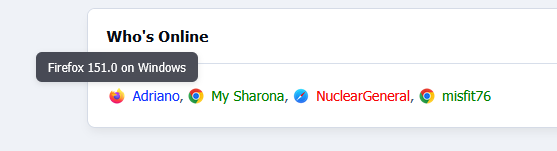
Show/Hide the user's connected device
Content
Show/Hide the user post count
Show/Hide the user's post-per-day ratio
Show/Hide the user's reputation
Show/Hide the user's amount of leader board members of the day won
Show/Hide the Achievements
Choose to use a gold font for the member of the day
Show/Hide the user's solved content
Clubs
Show/Hide the user's clubs as icons at the bottom of the user info panel (The club name will appear on hover)
Change the size of the club's icons
IPS5.0.0+
Enhance your user info panel with this powerful, fully customizable application for forum topic posts. You do not need to show all the information; you can choose to show or hide any one of them or just hide them for mobile viewing. You can also choose what user groups can see each piece of information.
User Info Panel
Edit the width of the user info panel between 200px and 350px
Profile Info
Show/Hide the user ID
Show/Hide the user group with color formatting
Personal Info
Show/Hide the user's birthday
Change the birthday view to show the member's age instead
Show/Hide the user joined date
Change the joined date to one saying "With Us For X Days"
Show/Hide the user's online status
Show/Hide the user's last activity
Show/Hide the users timezone
Show/Hide the user's follower count
Show/Hide the user's connected device
Content
Show/Hide the user post count
Show/Hide the user's post-per-day ratio
Show/Hide the user's reputation
Show/Hide the user's amount of leader board members of the day won
Show/Hide the Achievements
Choose to use a gold font for the member of the day
Show/Hide the user's solved content
Clubs
Show/Hide the user's clubs as icons at the bottom of the user info panel (The club name will appear on hover)
Change the size of the club's icons
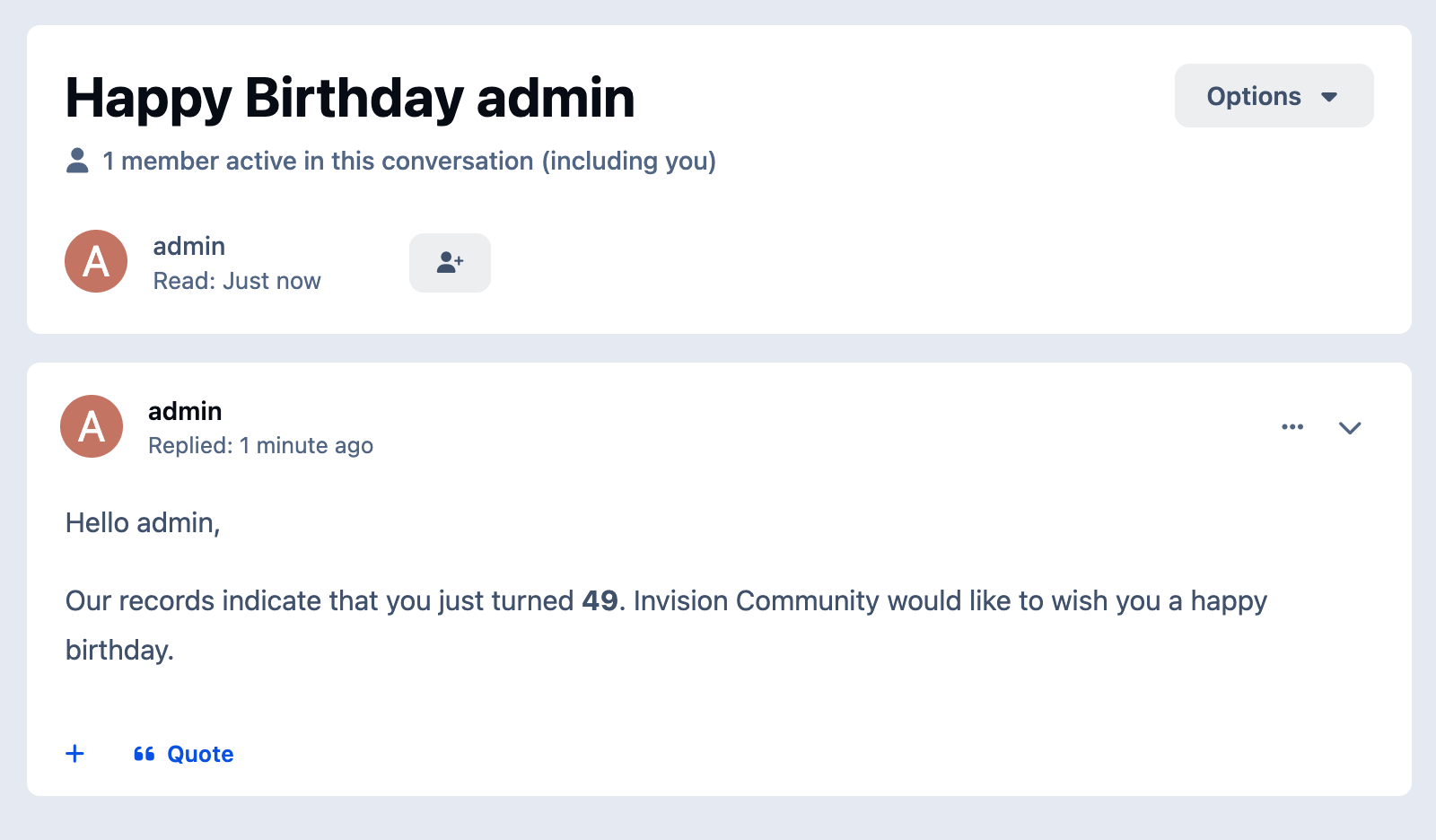
This application enables your community to use an invitation system for new registrations, which can be made mandatory based on your settings. When enabled, a valid invitation code will be required to create a new account in your community.
Public side features:
Users can send invitations on Account Settings → Invitations.
A new icon is added to the board top (beside Notifications and Messenger) to display the converted invitees and the user's number of invites. This icon also shows the remaining invitations for the member (just like how many users are online on Chat).
2 widgets: Top Inviters (per week, month, year, and general) and Latest Converted Invitees, which are invitations converted to membership.
Shows "Invited by" on the user profile and profile card (hover on the user link).
Tab on the user profile to display their invitees (converted invitations)
Notification to the member who invited someone when an account is created using their invitation
Campaigns:
You can bring the Invite System to the real world by using campaigns, where people can register using the same code for a given number of days or until a limit of registration is reached.
Campaigns DO NOT send emails. The purpose is to use its code somewhere else.
Campaigns are independent of the invitation system, so you can simply leave it disabled if you don't want to use it.
You can also use invitations and campaigns together.
More.
Settings:
Enable Invite System
Require an Invitation to Register an Account
Restore deleted or expired invitation
Display the pop-up Invitations link at the top.
Display the total remaining invitations
Invitation Expires after X days
Earn one Invitation at every X new piece of content posted
More.
ACP Features:
Invitations Management: a place where you can see the status of each invitation. The statuses are PENDING, CONVERTED, and EXPIRED. You can invite people, and delete or resend invitations. You can also create batch invitations to be used on a campaign or to be posted elsewhere. It won't send any emails.
Bonus form: you can give invitations to a specific member or a whole member group
Integration with Commerce
Notes:
It doesn't work in Commerce registration (if you have packages in the register screen).
Since hooks cannot be used, a few options have been removed in this version.
IPS5.0.0+
This application enables your community to use an invitation system for new registrations, which can be made mandatory based on your settings. When enabled, a valid invitation code will be required to create a new account in your community.
Public side features:
Users can send invitations on Account Settings → Invitations.
A new icon is added to the board top (beside Notifications and Messenger) to display the converted invitees and the user's number of invites. This icon also shows the remaining invitations for the member (just like how many users are online on Chat).
2 widgets: Top Inviters (per week, month, year, and general) and Latest Converted Invitees, which are invitations converted to membership.
Shows "Invited by" on the user profile and profile card (hover on the user link).
Tab on the user profile to display their invitees (converted invitations)
Notification to the member who invited someone when an account is created using their invitation
Campaigns:
You can bring the Invite System to the real world by using campaigns, where people can register using the same code for a given number of days or until a limit of registration is reached.
Campaigns DO NOT send emails. The purpose is to use its code somewhere else.
Campaigns are independent of the invitation system, so you can simply leave it disabled if you don't want to use it.
You can also use invitations and campaigns together.
More.
Settings:
Enable Invite System
Require an Invitation to Register an Account
Restore deleted or expired invitation
Display the pop-up Invitations link at the top.
Display the total remaining invitations
Invitation Expires after X days
Earn one Invitation at every X new piece of content posted
More.
ACP Features:
Invitations Management: a place where you can see the status of each invitation. The statuses are PENDING, CONVERTED, and EXPIRED. You can invite people, and delete or resend invitations. You can also create batch invitations to be used on a campaign or to be posted elsewhere. It won't send any emails.
Bonus form: you can give invitations to a specific member or a whole member group
Integration with Commerce
Notes:
It doesn't work in Commerce registration (if you have packages in the register screen).
Since hooks cannot be used, a few options have been removed in this version.

Top Developers

Last reviews

Applications Directory

A complete and convenient directory of applications for Invision Community, with categorization and sorting options.

Ratings and feedback

Only verified and trusted reviews!

Add new Application

Any developer can add their application to this directory.

You need to create account

Configure browser push notifications

Chrome (Android)
  1. Tap the lock icon next to the address bar.
  2. Tap Permissions → Notifications.
  3. Adjust your preference.
Chrome (Desktop)
  1. Click the padlock icon in the address bar.
  2. Select Site settings.
  3. Find Notifications and adjust your preference.